Storage Solution
Storage solutions are the physical cryogenic units, such as liquid nitrogen tanks and dewars, where sample containers are stored. The web app provides visibility into each unit’s structure and current inventory.
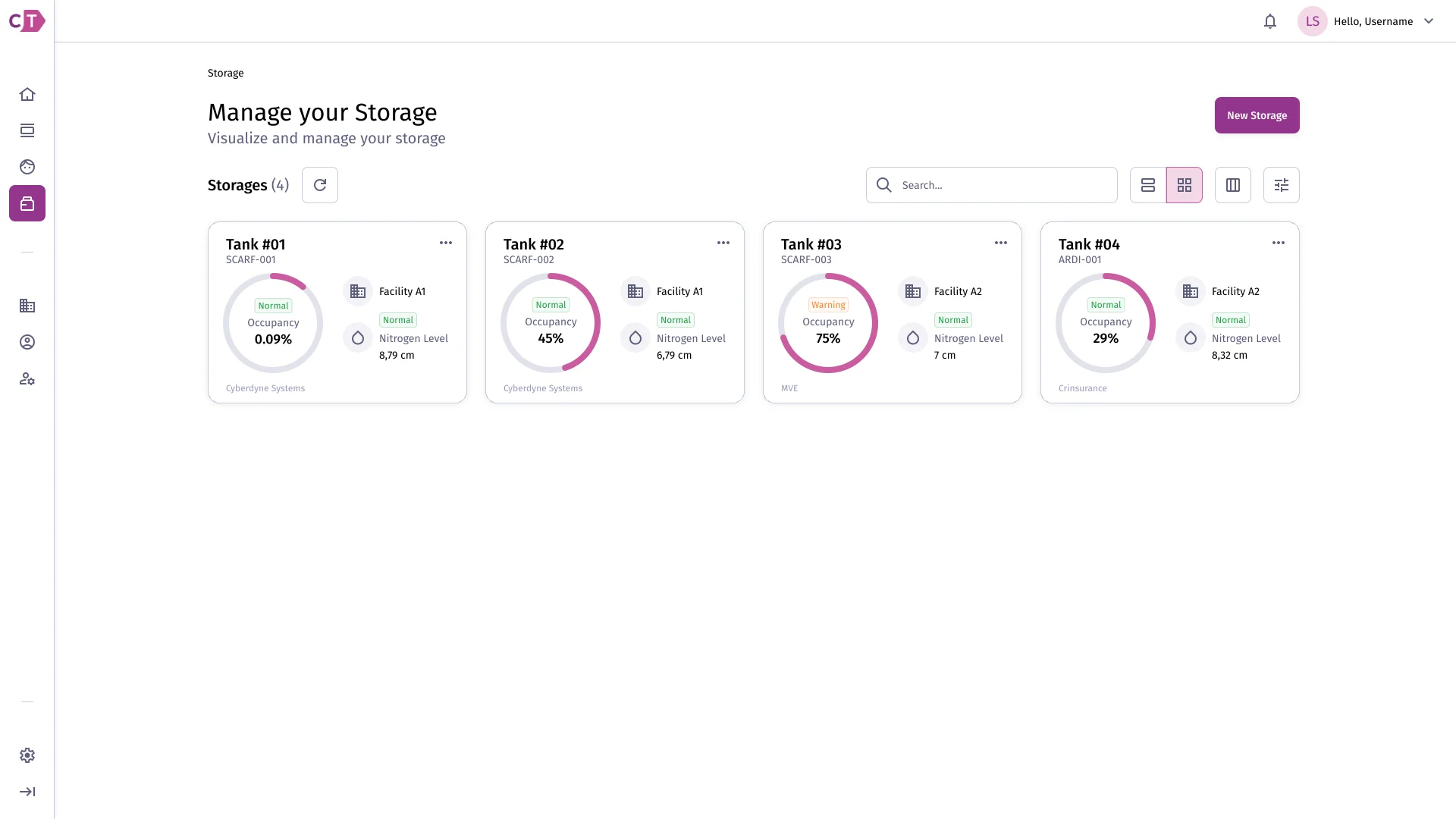
Listing storage solutions
Section titled “Listing storage solutions”The storage solution list shows all units available within a facility. Each card displays occupancy and nitrogen level at a glance, with colour-coded indicators when levels require attention.
Viewing storage solution details
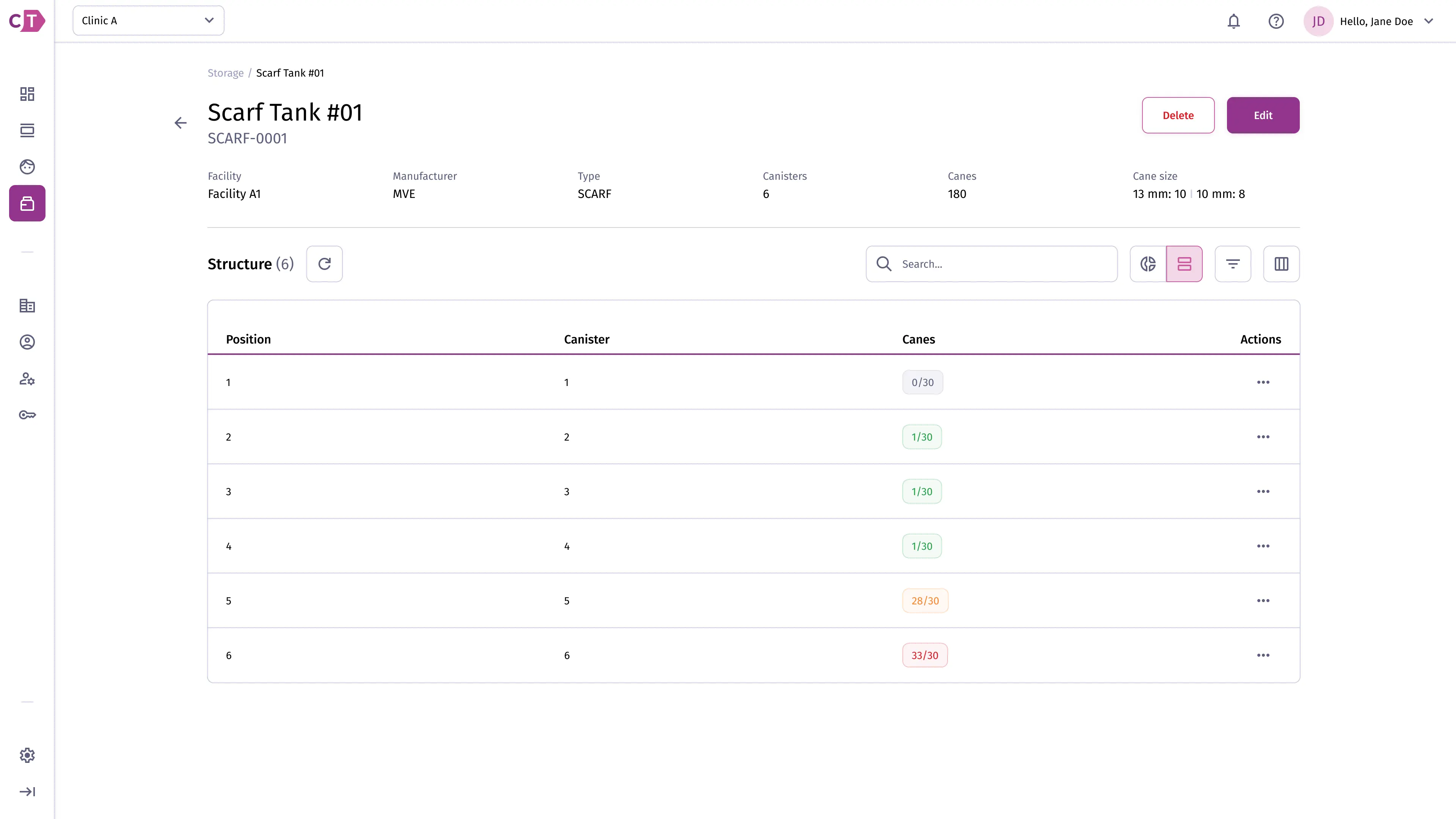
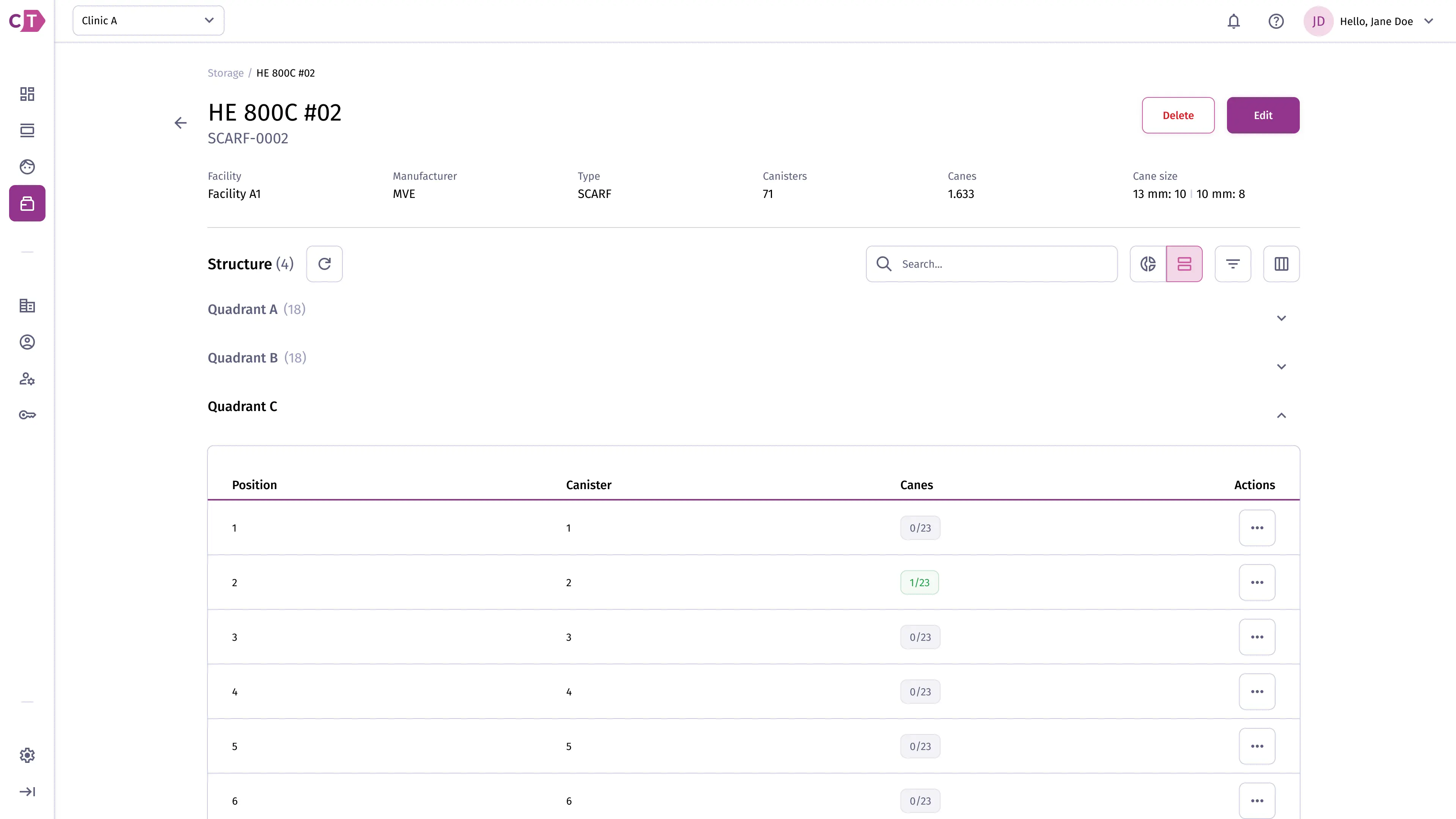
Section titled “Viewing storage solution details”The details view shows the full structure of a storage solution, including its canisters, canes, and current occupancy. Two view modes are available: list and graph.
List view
Section titled “List view”The list view presents canisters in a table with cane occupancy counts. For tanks with a quadrant-based layout, canisters are grouped by quadrant.
Graph view
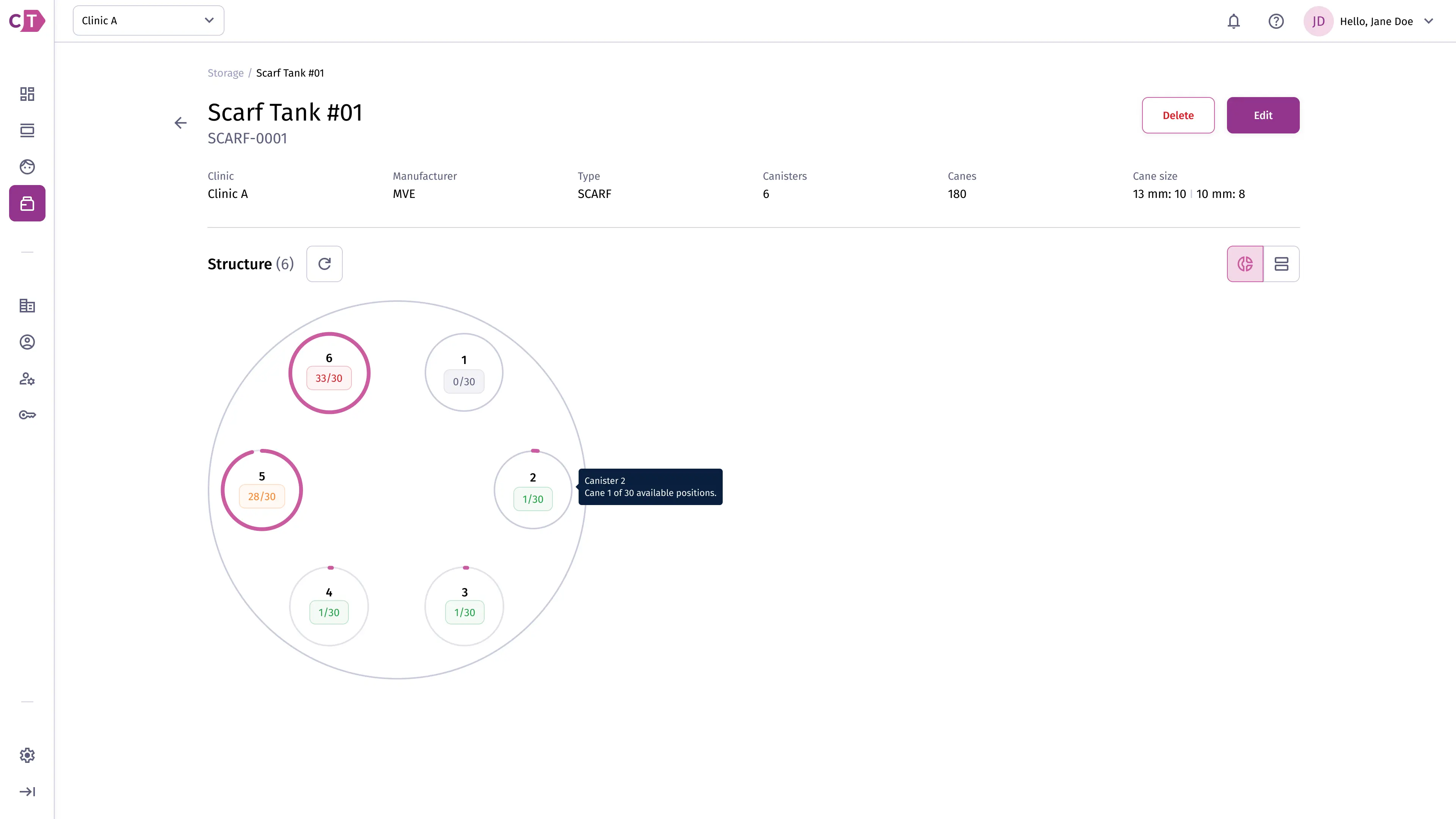
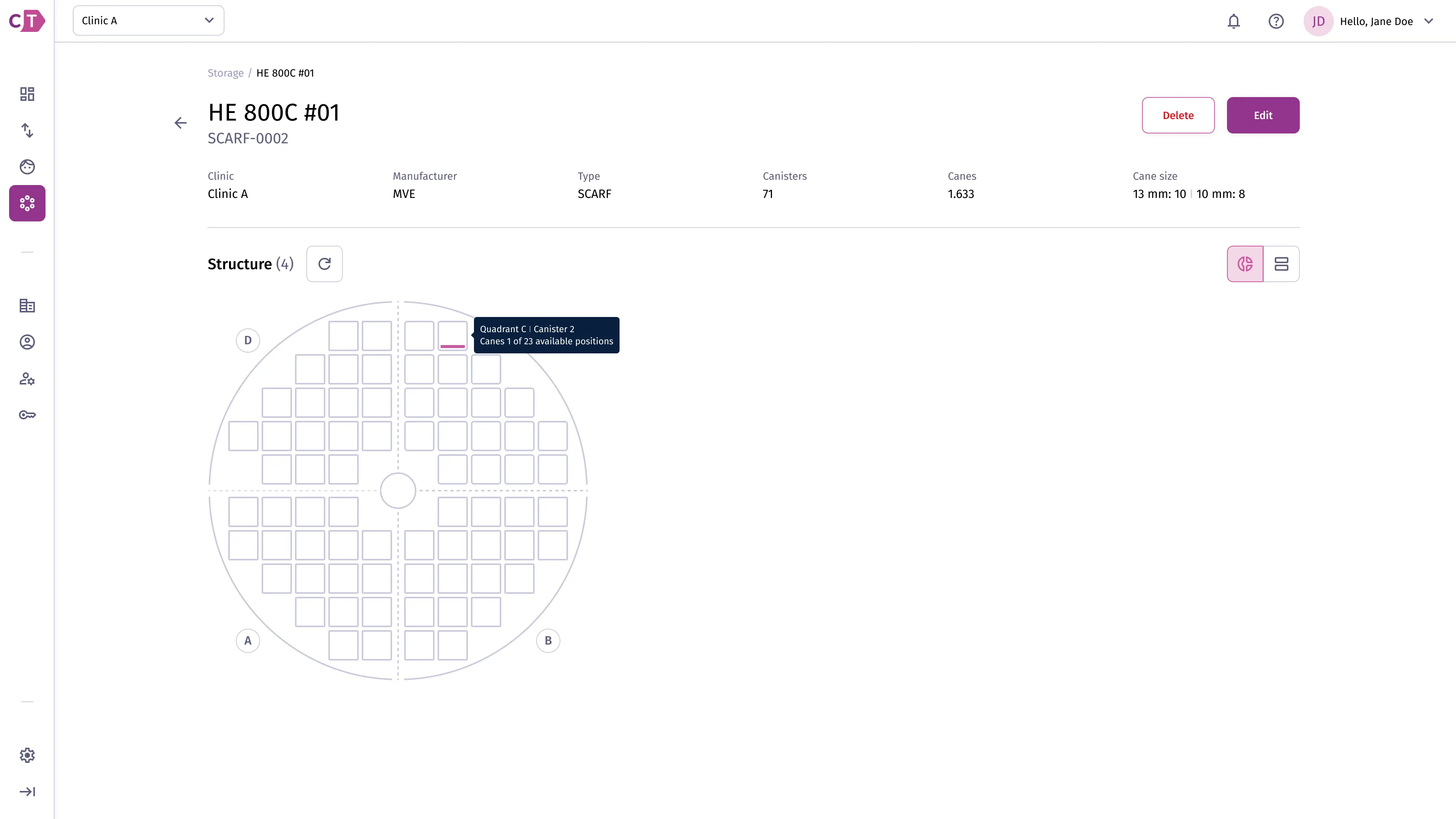
Section titled “Graph view”The graph view provides a visual representation of the tank structure. Hovering over a canister shows the number of available positions.
For tanks with a circular canister arrangement, canisters are shown as rings around the tank axis.
For tanks with a grid-based layout, the graph view displays canisters as a grid organized by quadrant.
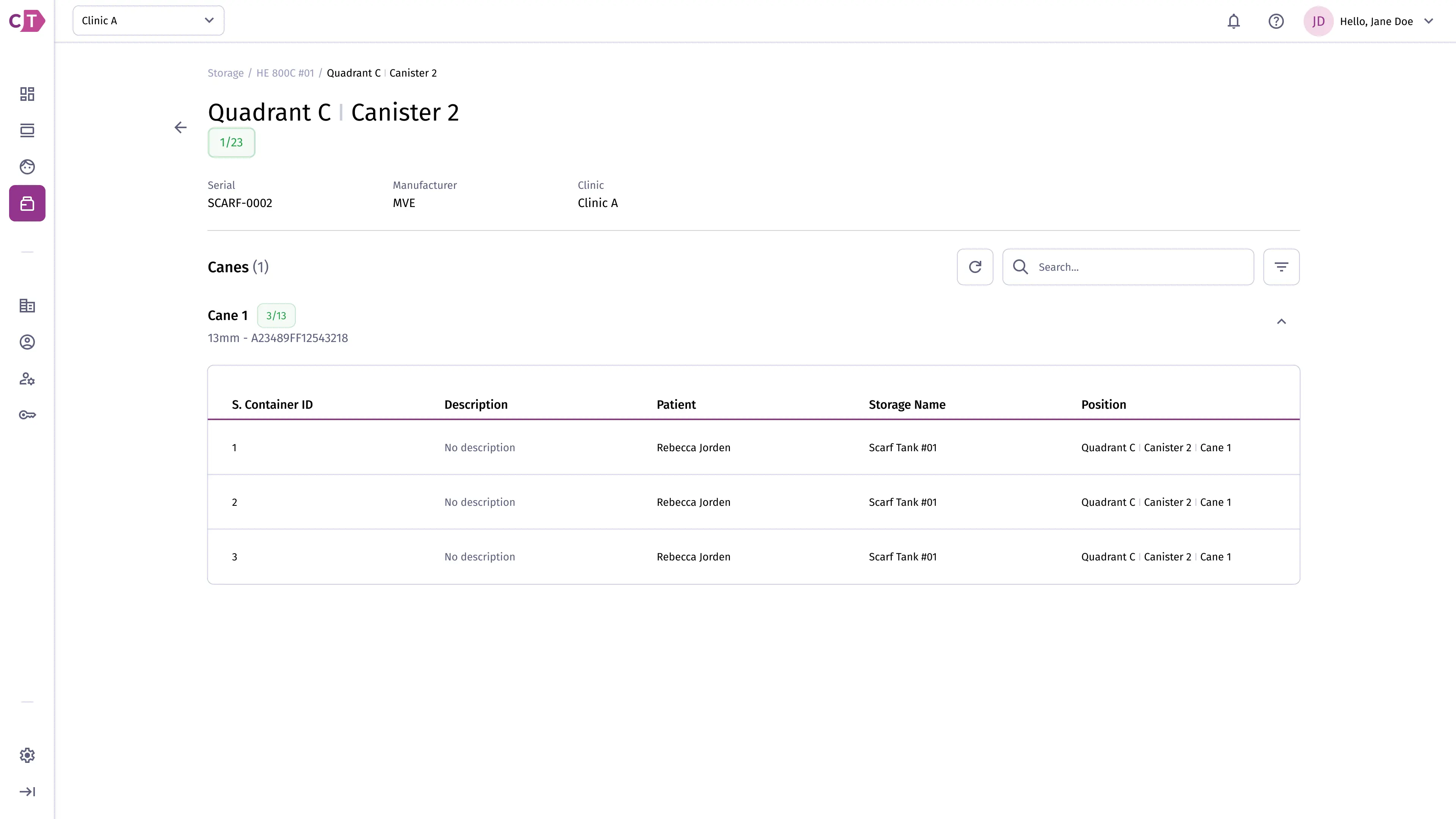
Viewing canister details
Section titled “Viewing canister details”The canister details view shows all canes within a canister and the sample containers stored at each cane position.
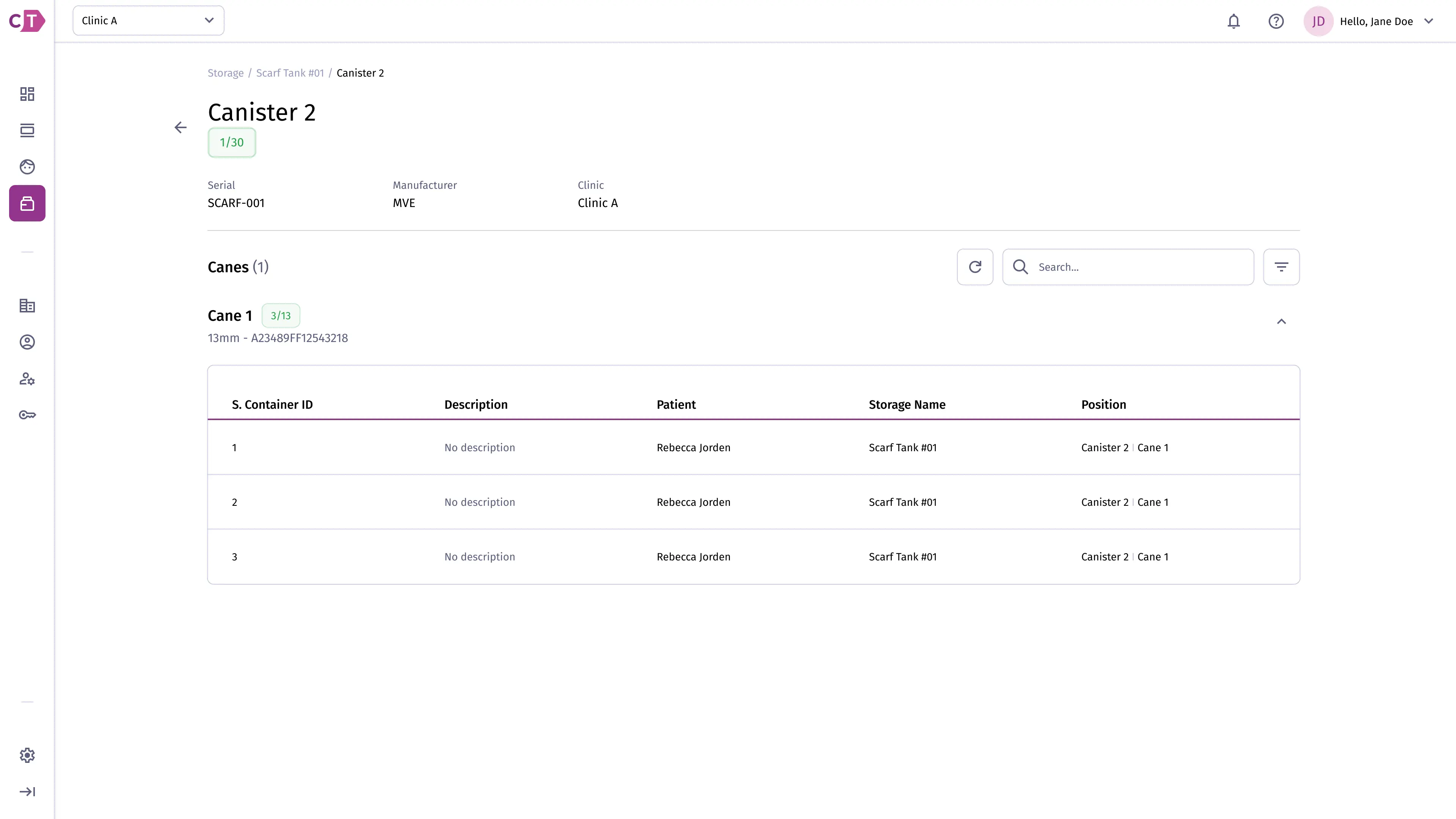
For quadrant-based tanks, the canister is identified by its quadrant and position within it.