Procedures
Procedures represent operations performed by users on storage solutions, such as retrievals, stores, and LN2 refills.
Listing procedures
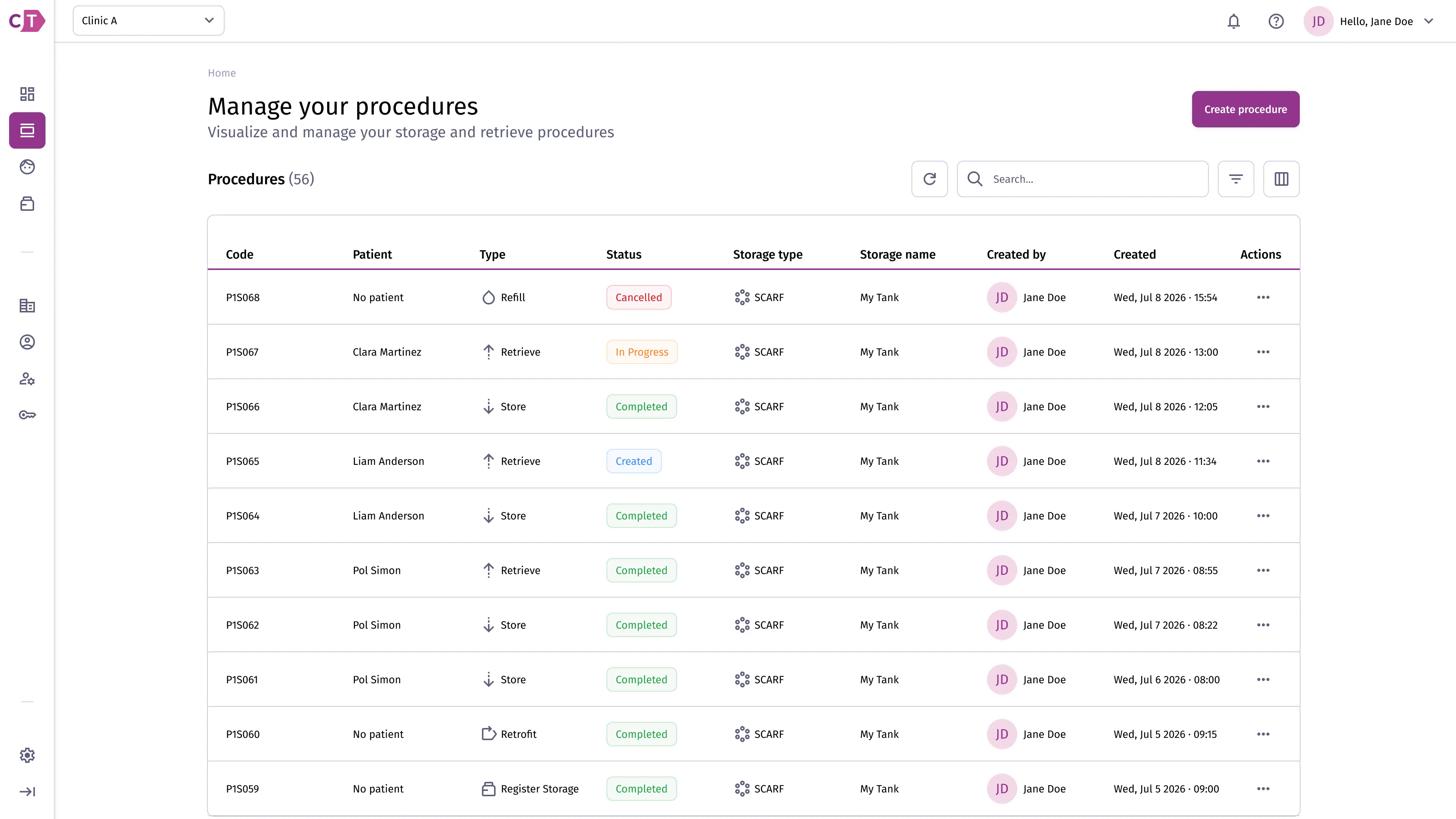
Section titled “Listing procedures”The procedures list shows all active and completed procedures for your organization. Each row displays the procedure code (a human-readable identifier separate from the internal numeric ID), subject, type, status, storage type, storage name, and the user who created it.
Filtering procedures
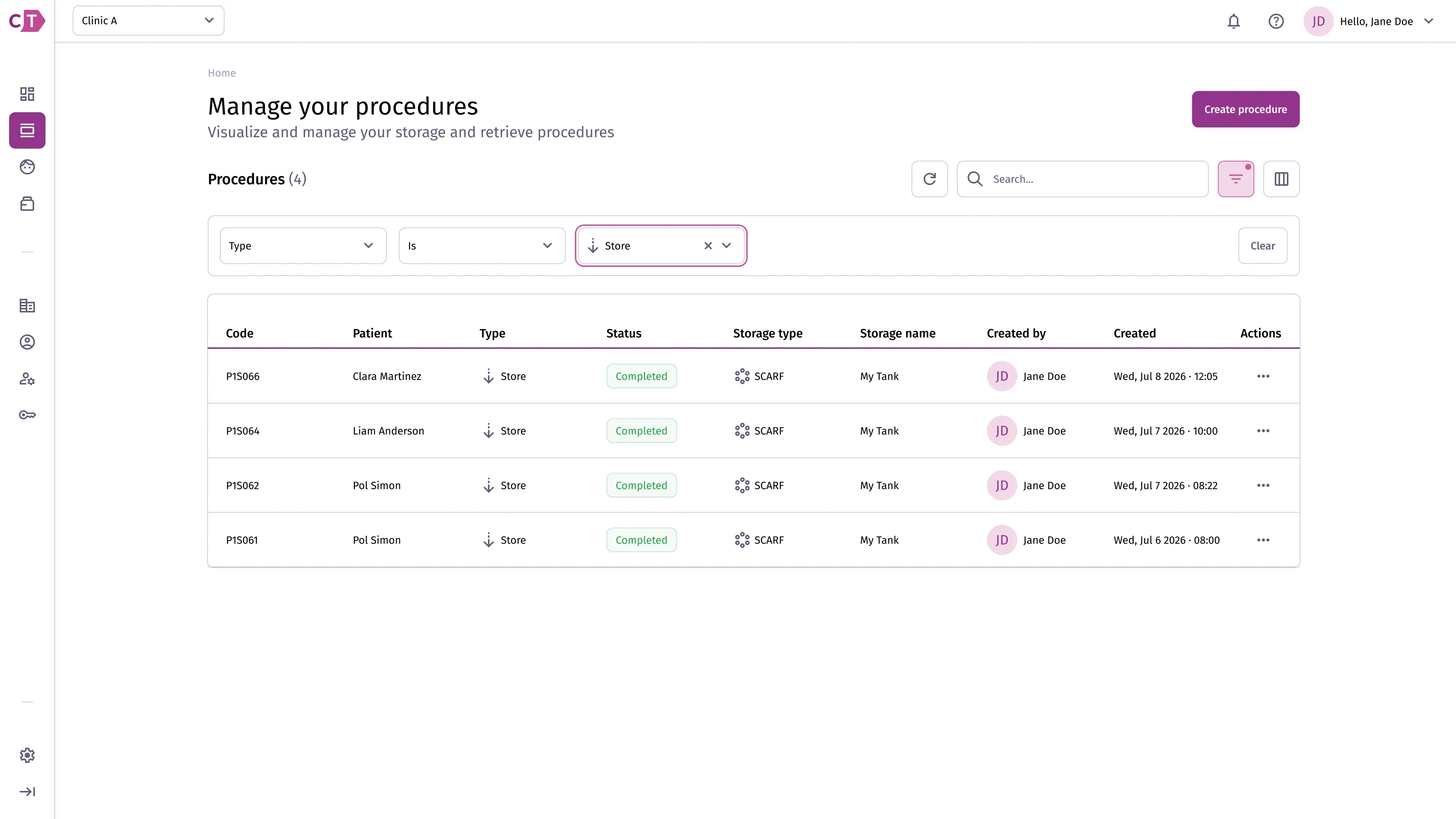
Section titled “Filtering procedures”Use the filter controls to narrow the list by procedure type, status, or other attributes. Active filters are displayed as chips above the table and can be cleared individually or all at once.
Retrieve procedure
Section titled “Retrieve procedure”A retrieve procedure is used to release one or more sample containers from storage for use or transport. The process guides you through selecting a subject, choosing sample containers, and confirming the retrieval.
Selecting procedure type
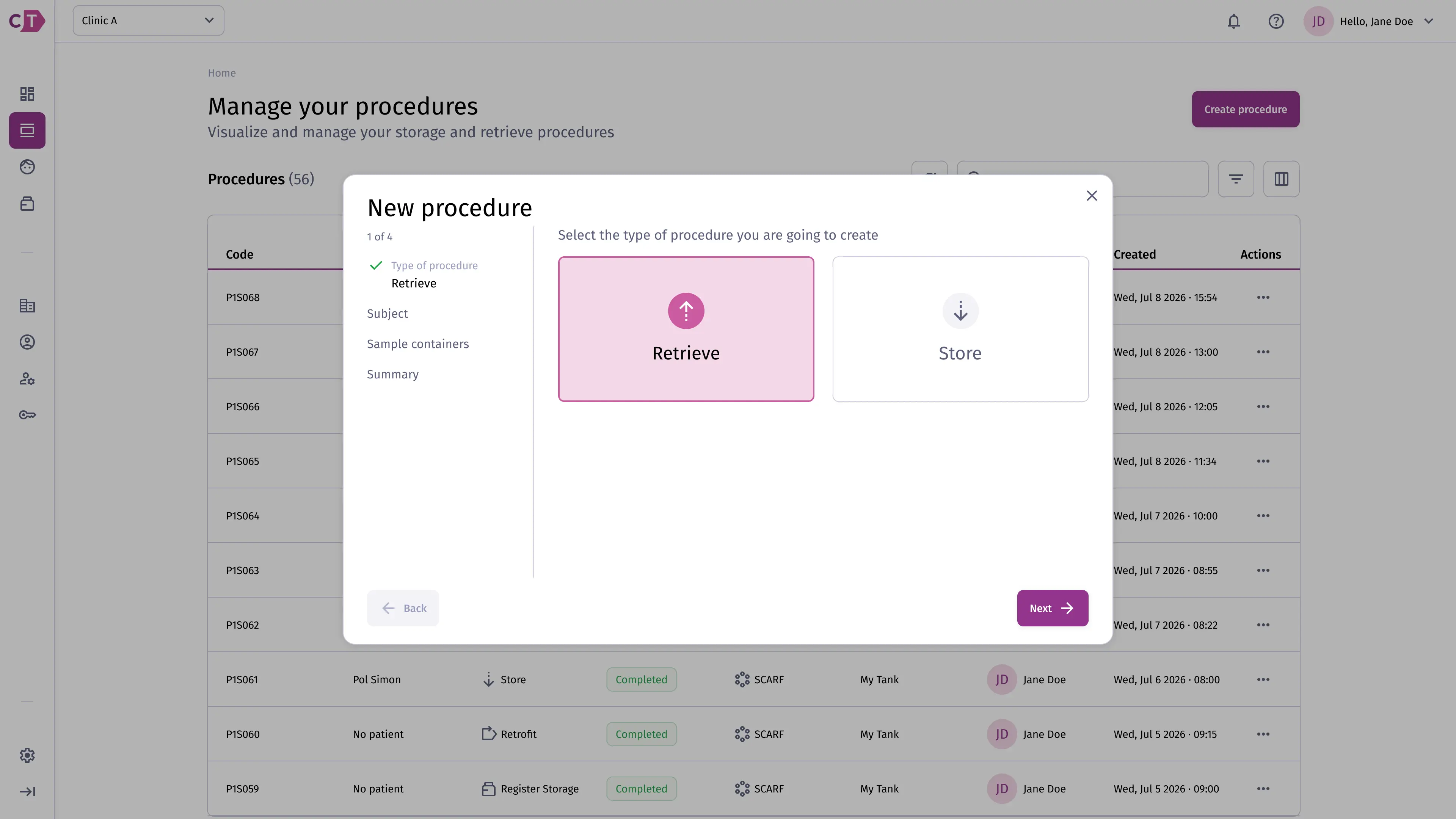
Section titled “Selecting procedure type”Click Create procedure from the procedures list and select Retrieve to begin.
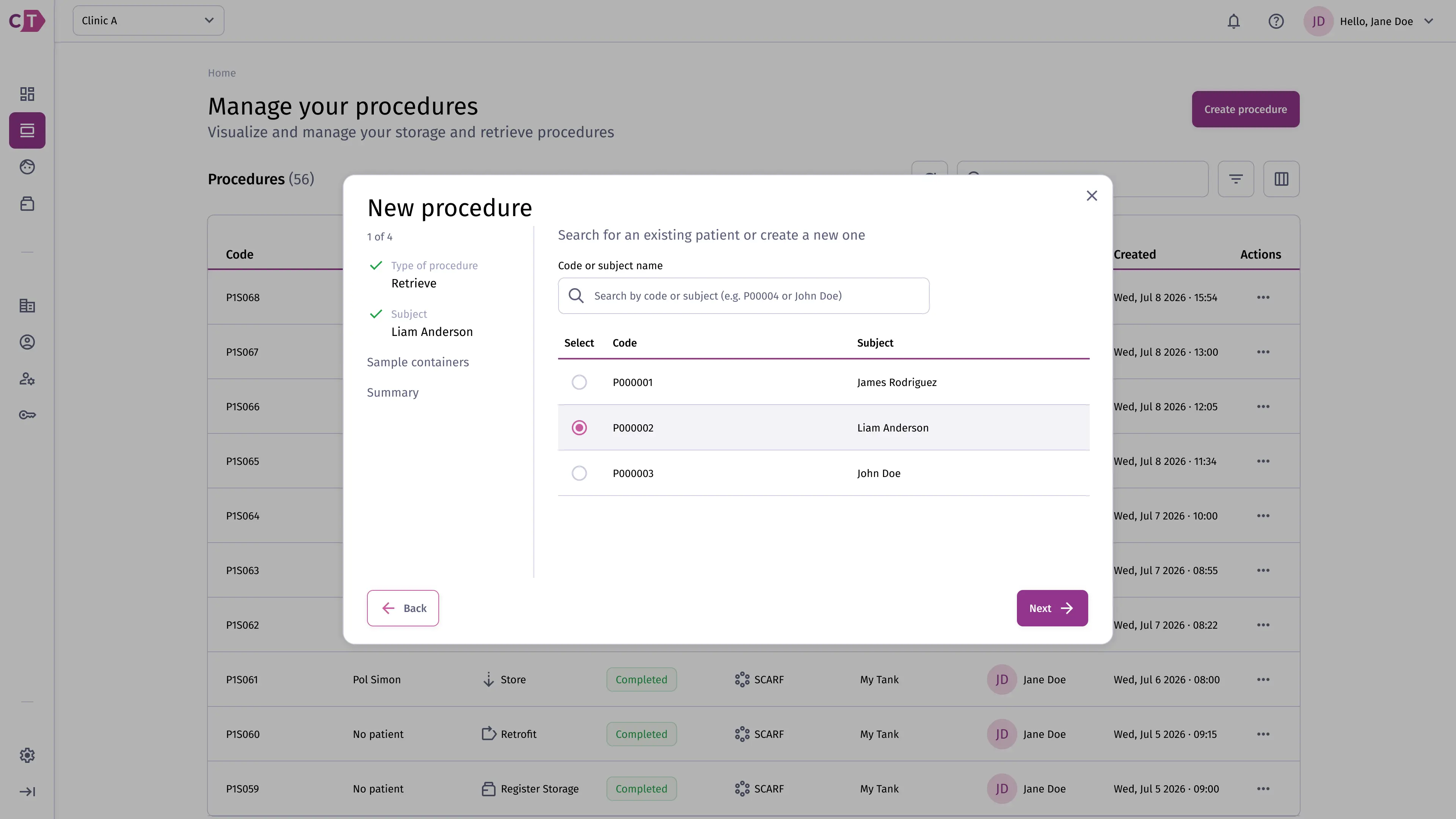
Selecting a subject
Section titled “Selecting a subject”Search for and select the subject whose samples you want to retrieve.
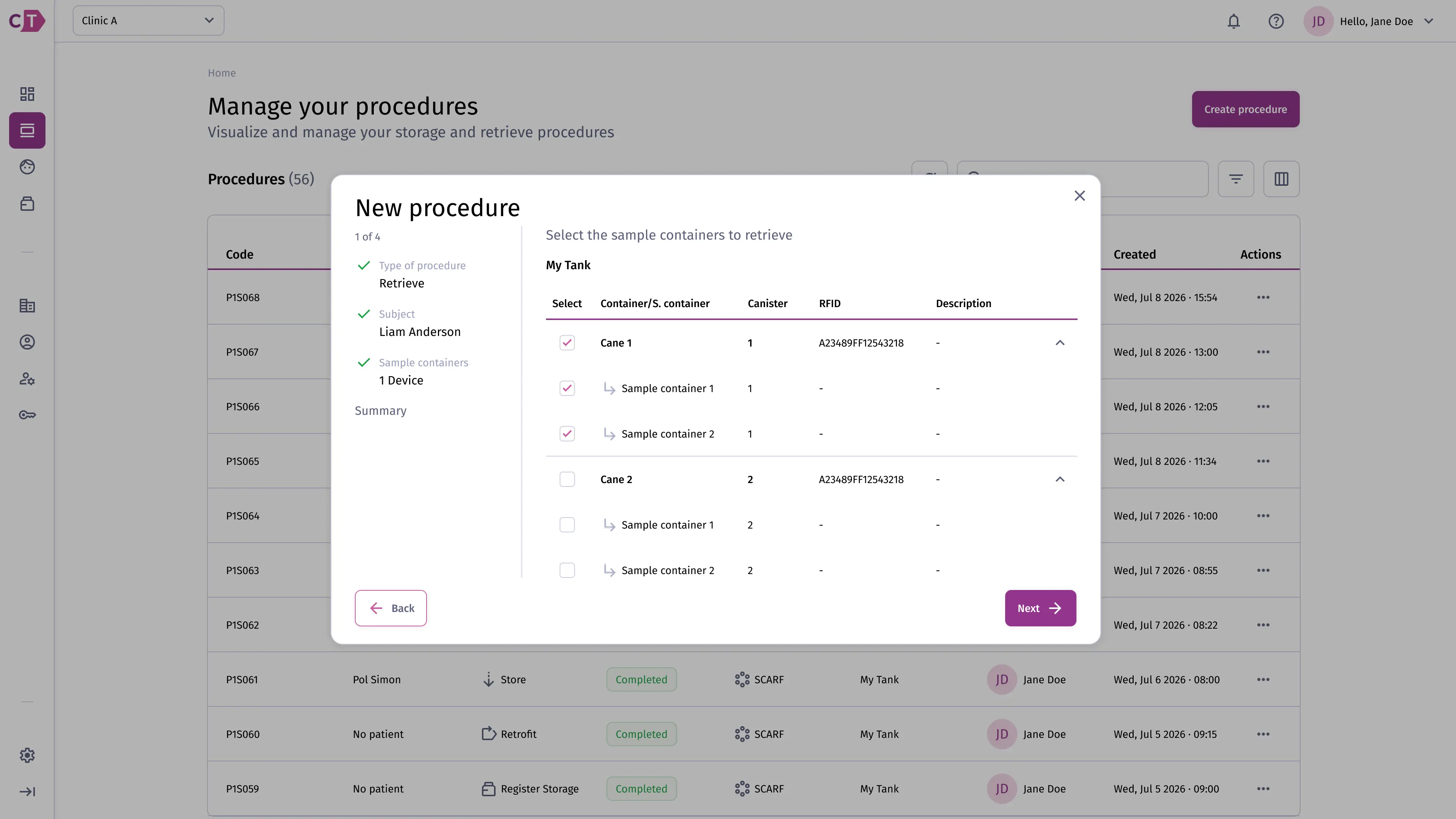
Selecting sample containers
Section titled “Selecting sample containers”Choose the sample containers to include in the retrieval. Only containers currently in storage are available for selection.
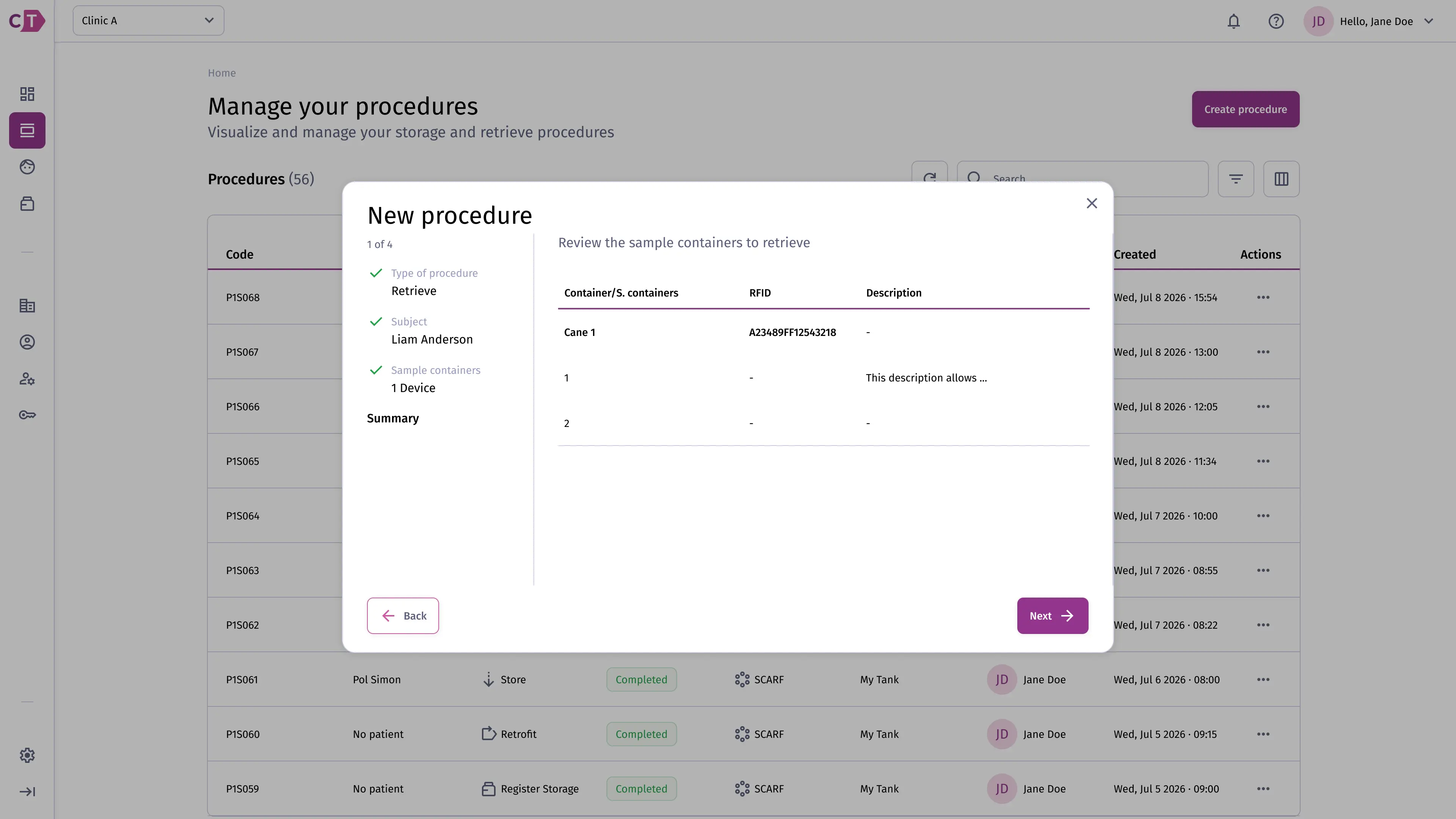
Reviewing and confirming
Section titled “Reviewing and confirming”Review the retrieval details before confirming. Once confirmed, the procedure is queued in a Created state and awaits execution.
Store procedure
Section titled “Store procedure”A store procedure is used to place one or more sample containers into a storage solution. The process guides you through selecting a subject, adding sample containers, assigning a cane, and confirming the storage.
When a store procedure was created by an external system and arrived as Pending, the sample containers are already defined. The procedure will ask you to associate RFID tags with those pre-defined containers before the device can execute it.
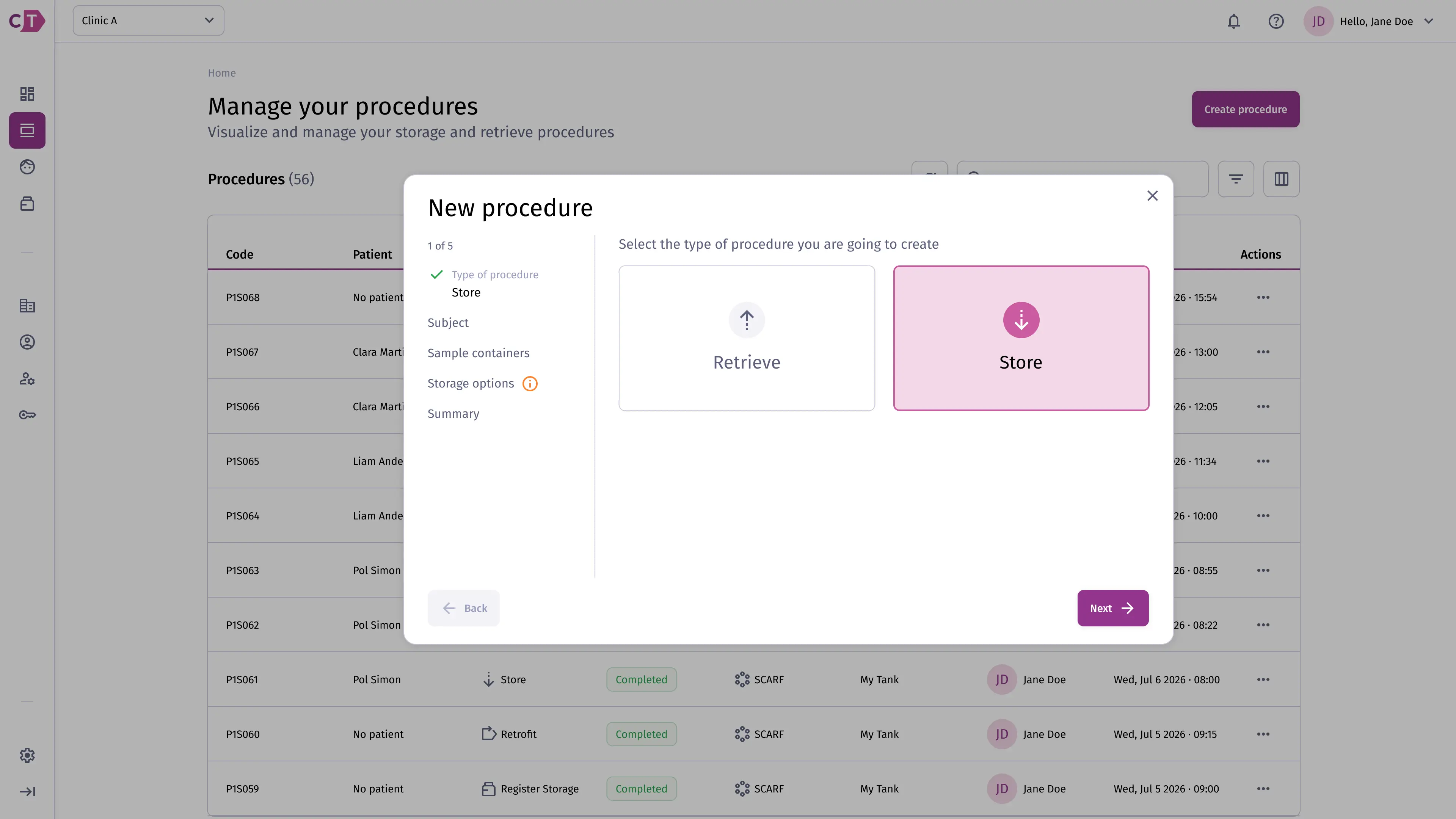
Selecting procedure type
Section titled “Selecting procedure type”Click Create procedure from the procedures list and select Store to begin.
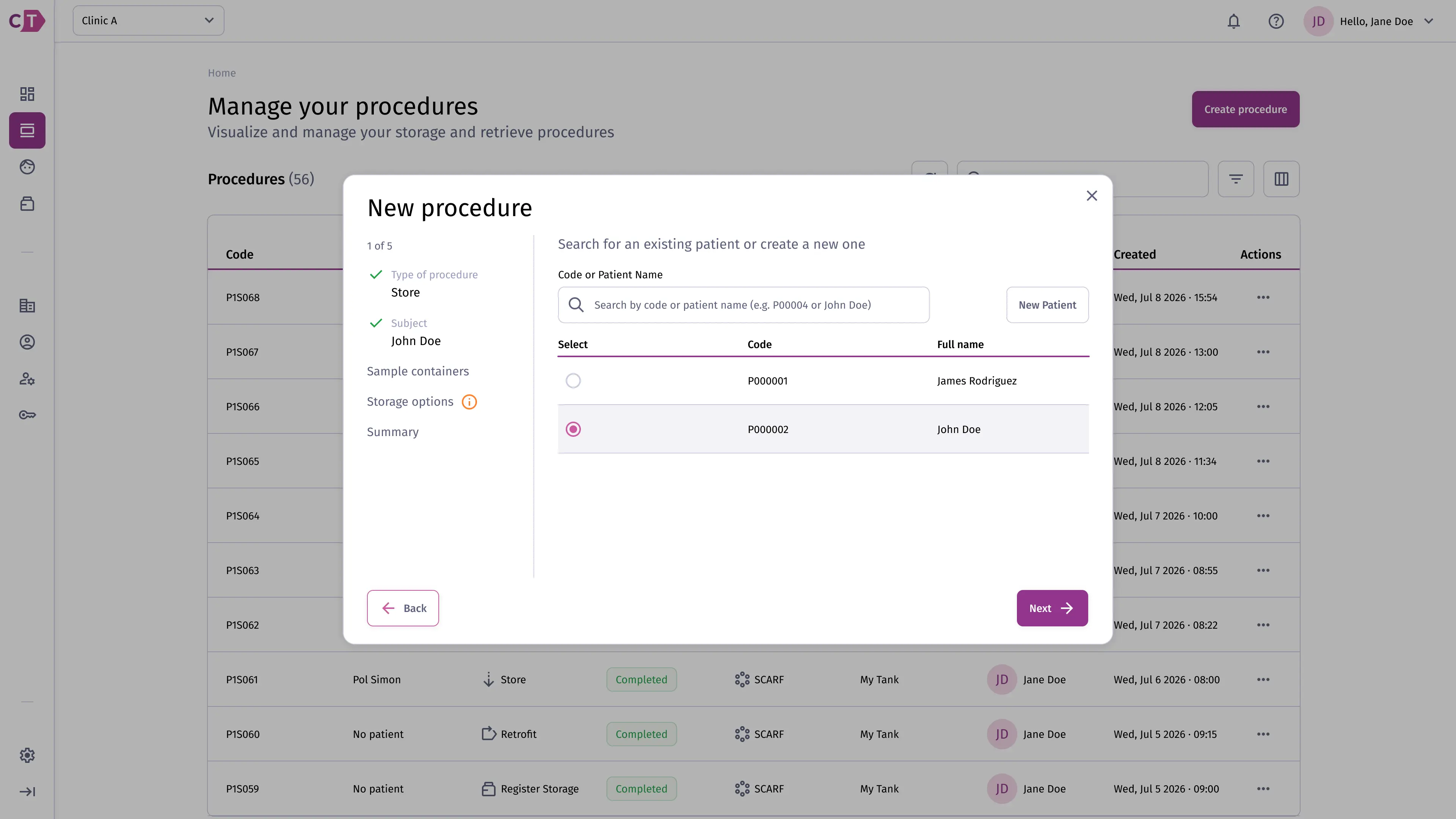
Selecting a subject
Section titled “Selecting a subject”Search for and select the subject whose samples you want to store. You can also create a new subject from this step if one does not yet exist.
Adding sample containers
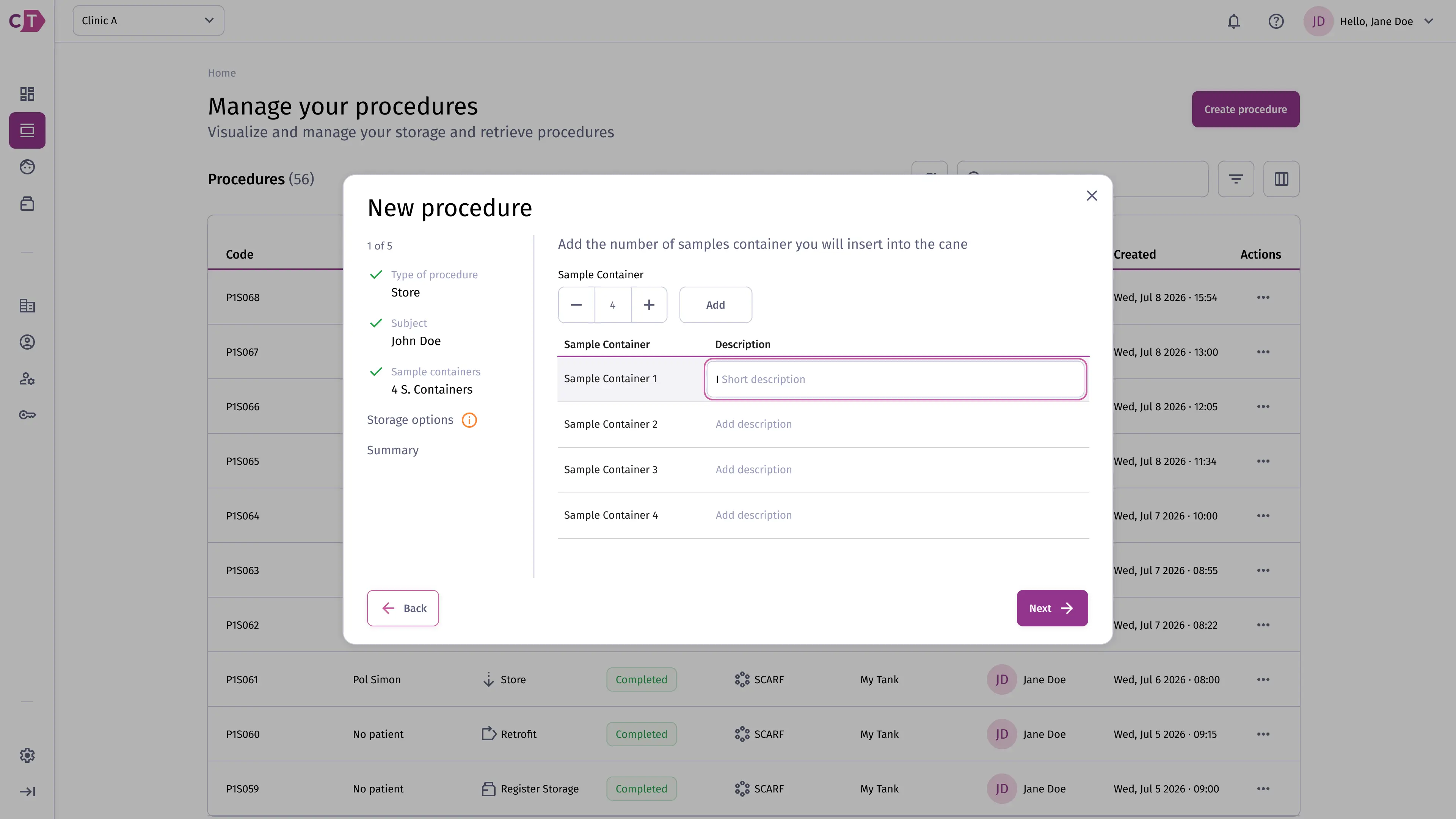
Section titled “Adding sample containers”Specify the number of sample containers to store and add an optional description for each one.
Assigning a cane
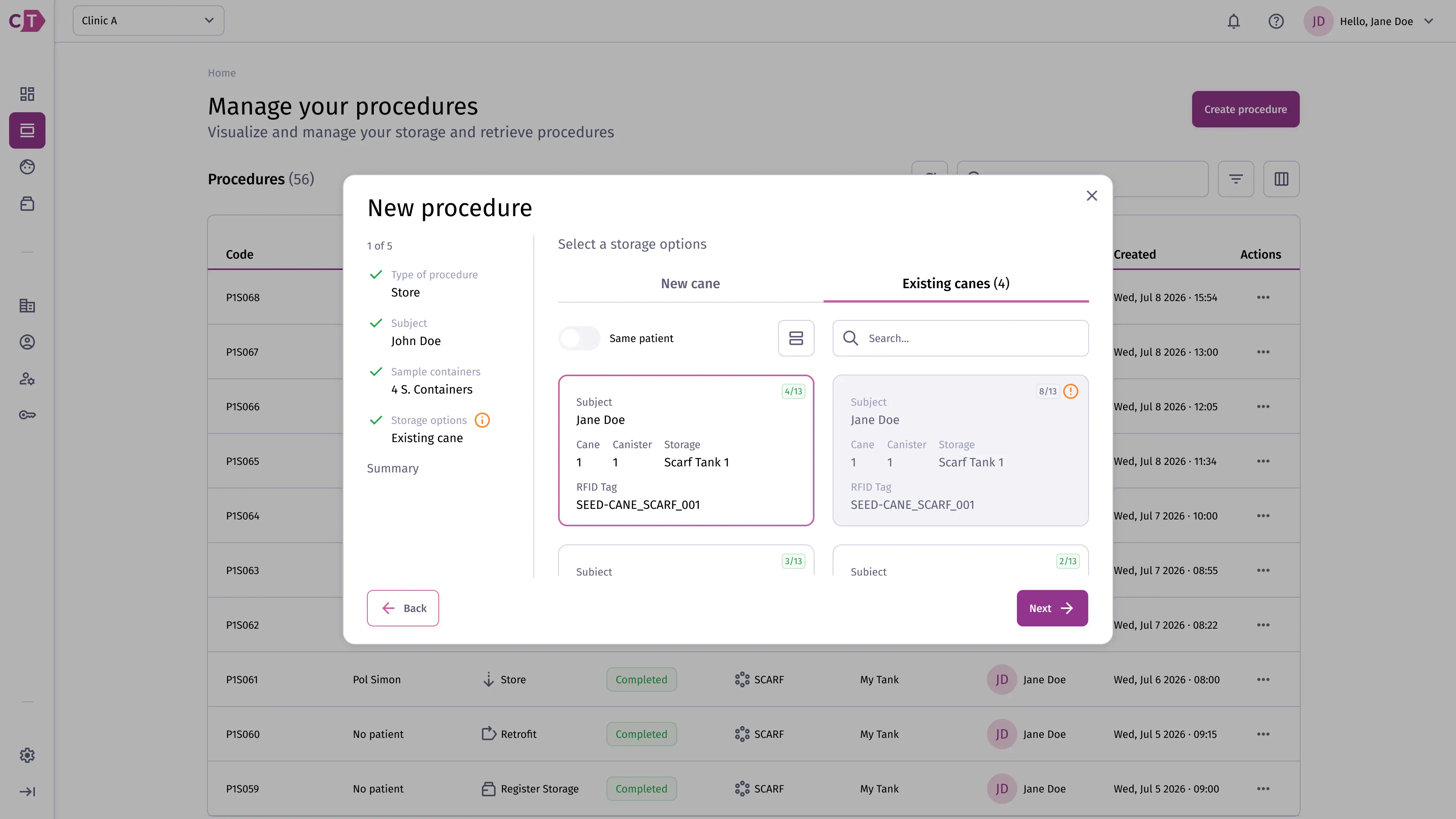
Section titled “Assigning a cane”Choose whether to store the containers in an existing cane or create a new one. Existing canes are canes already in storage that still have available space and can accept additional sample containers.
Existing cane:
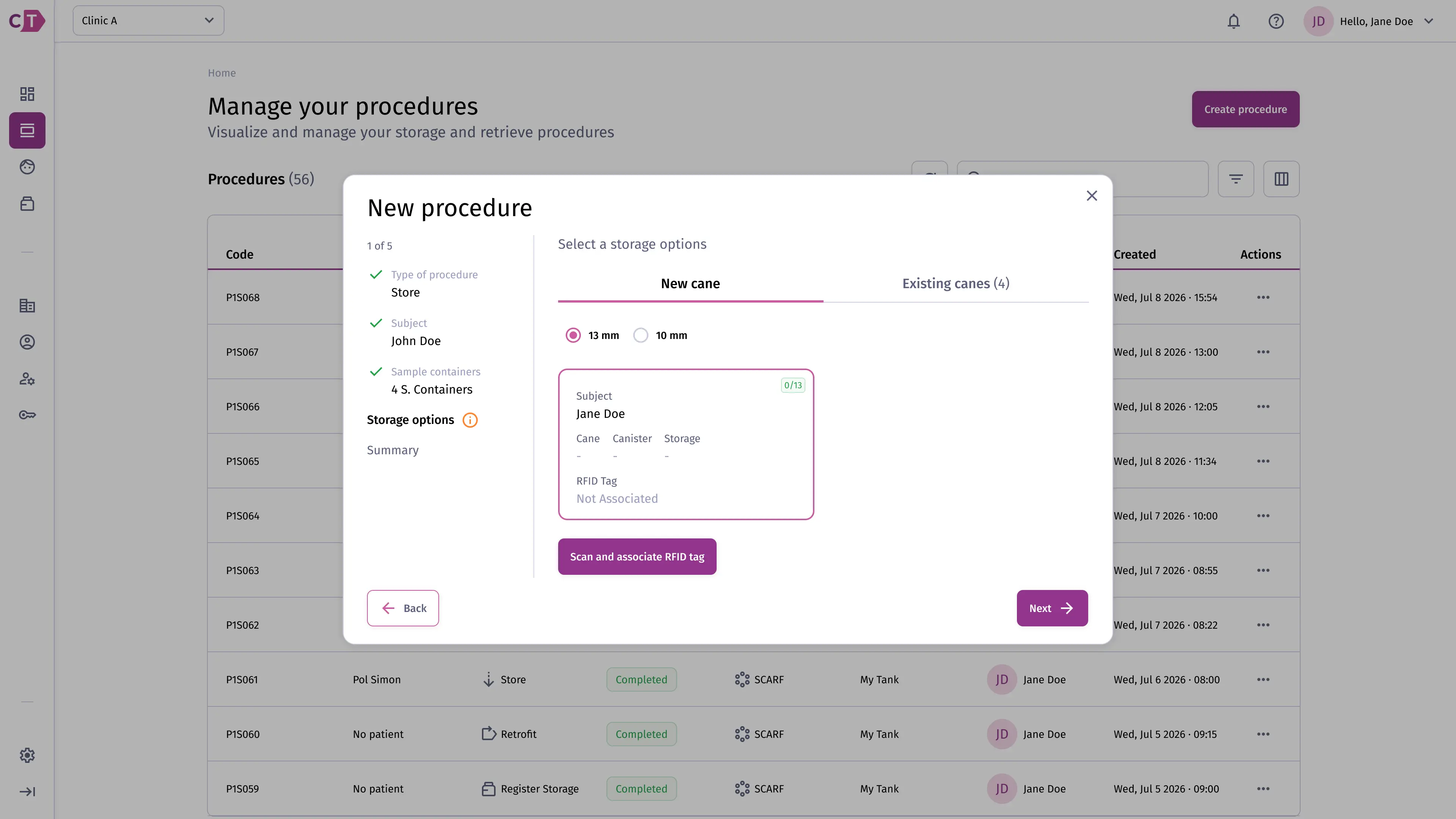
New cane:
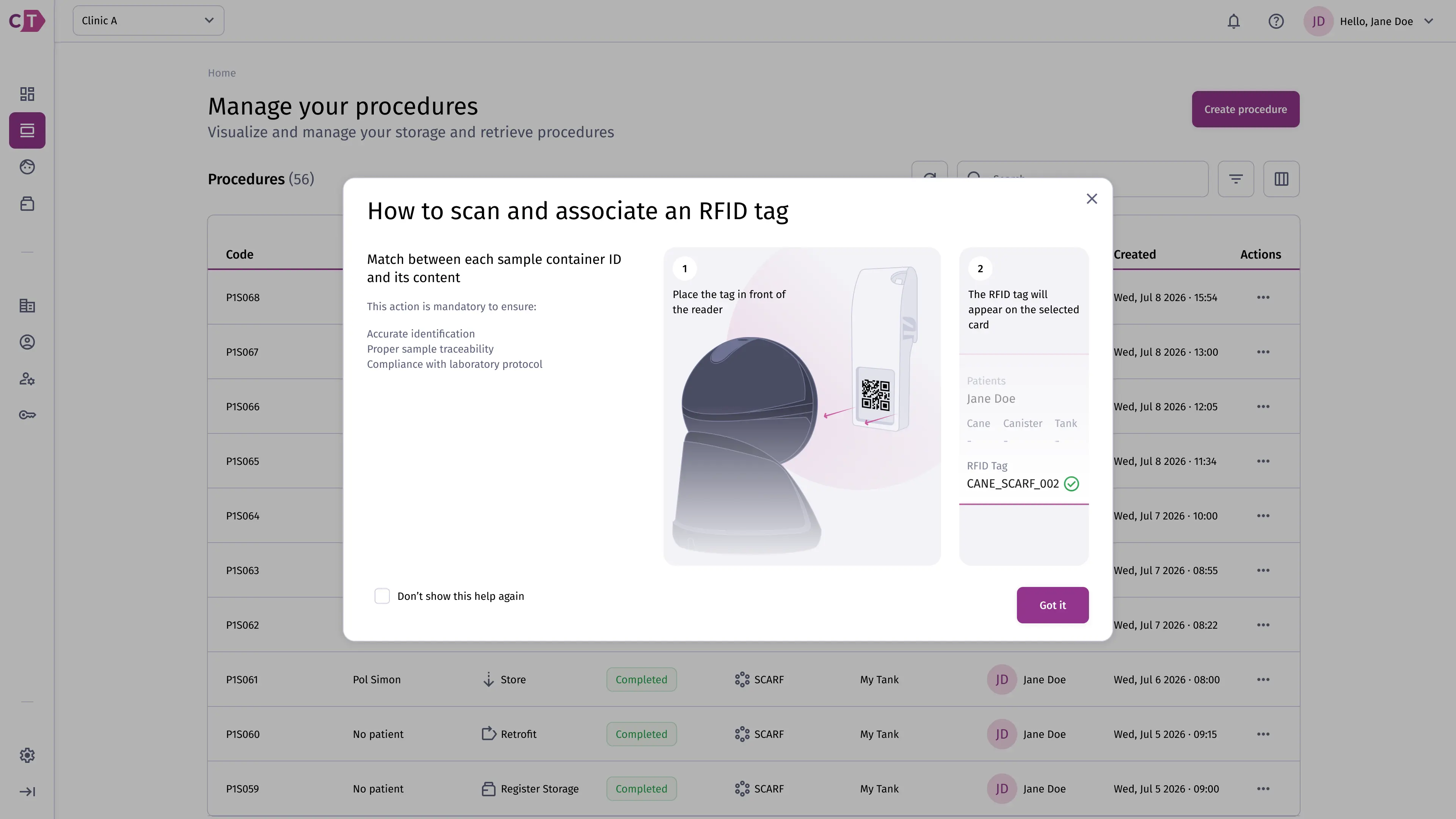
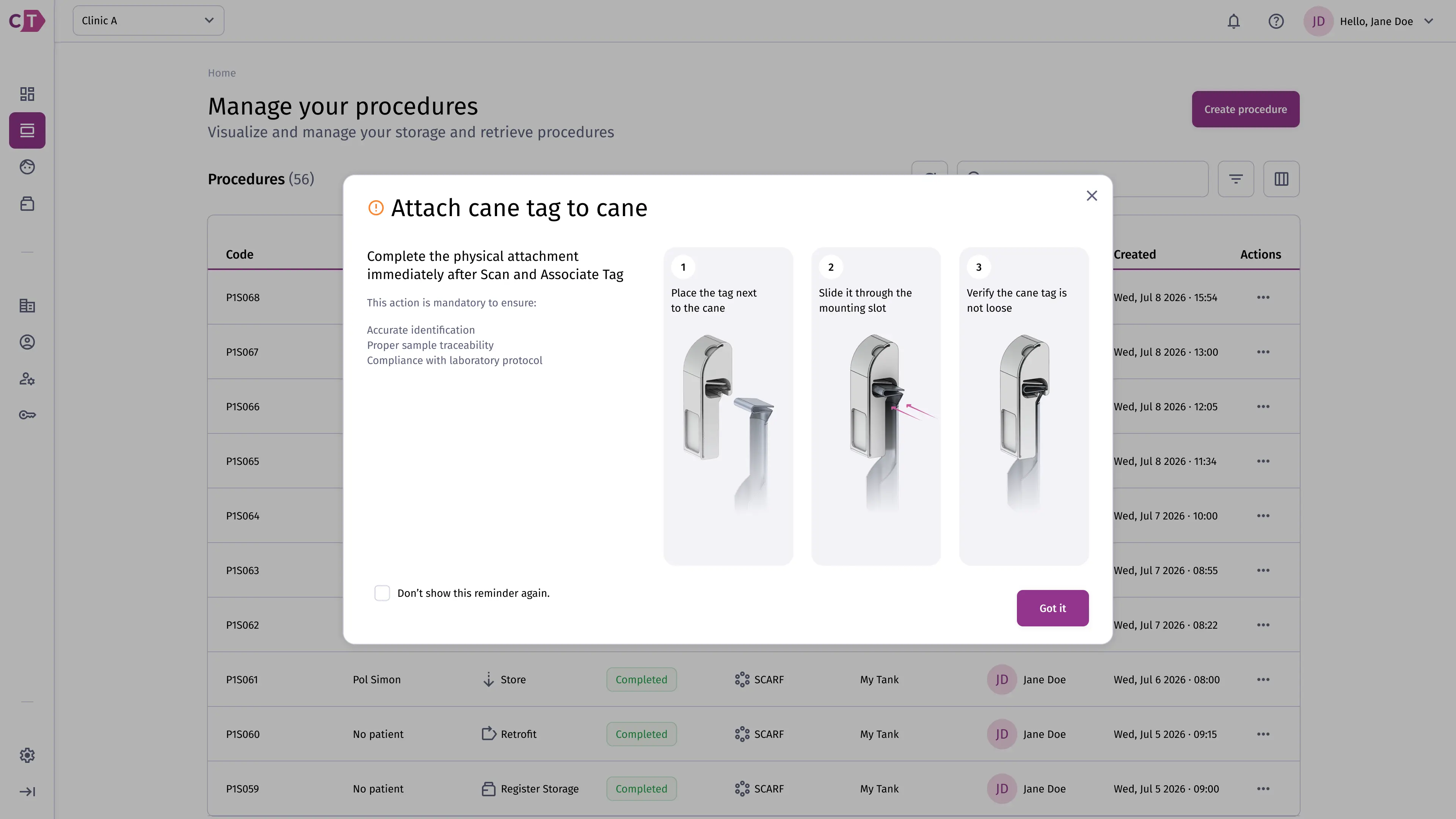
When creating a new cane, select the cane diameter and then scan the physical RFID tag to associate it.
Follow the on-screen instructions to scan the tag using the reader:
After scanning, physically attach the tag to the cane:
Reviewing and confirming
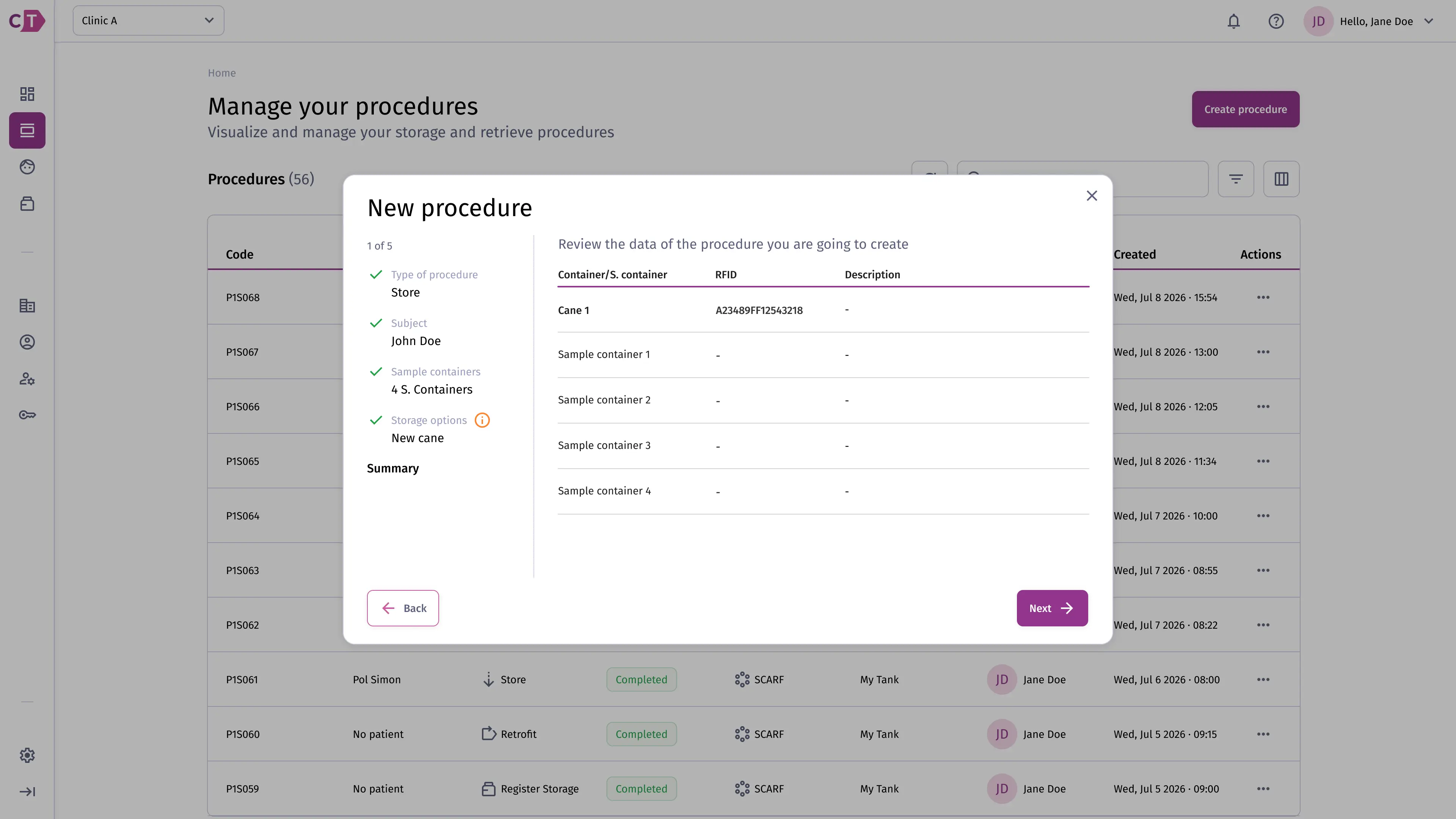
Section titled “Reviewing and confirming”Review the storage details before confirming. Once confirmed, the procedure is queued in a Created state and awaits execution.
LN2 refill procedure
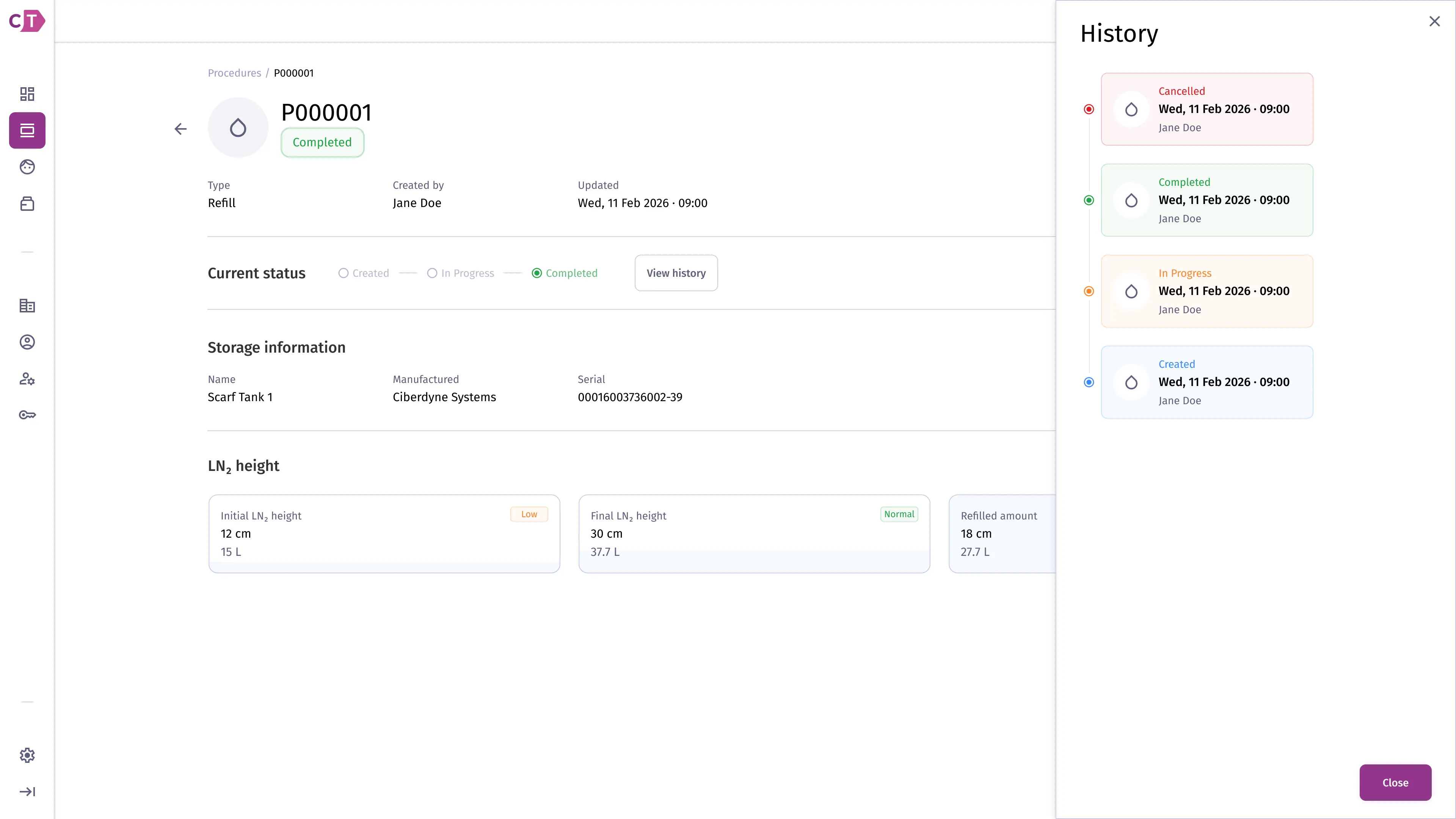
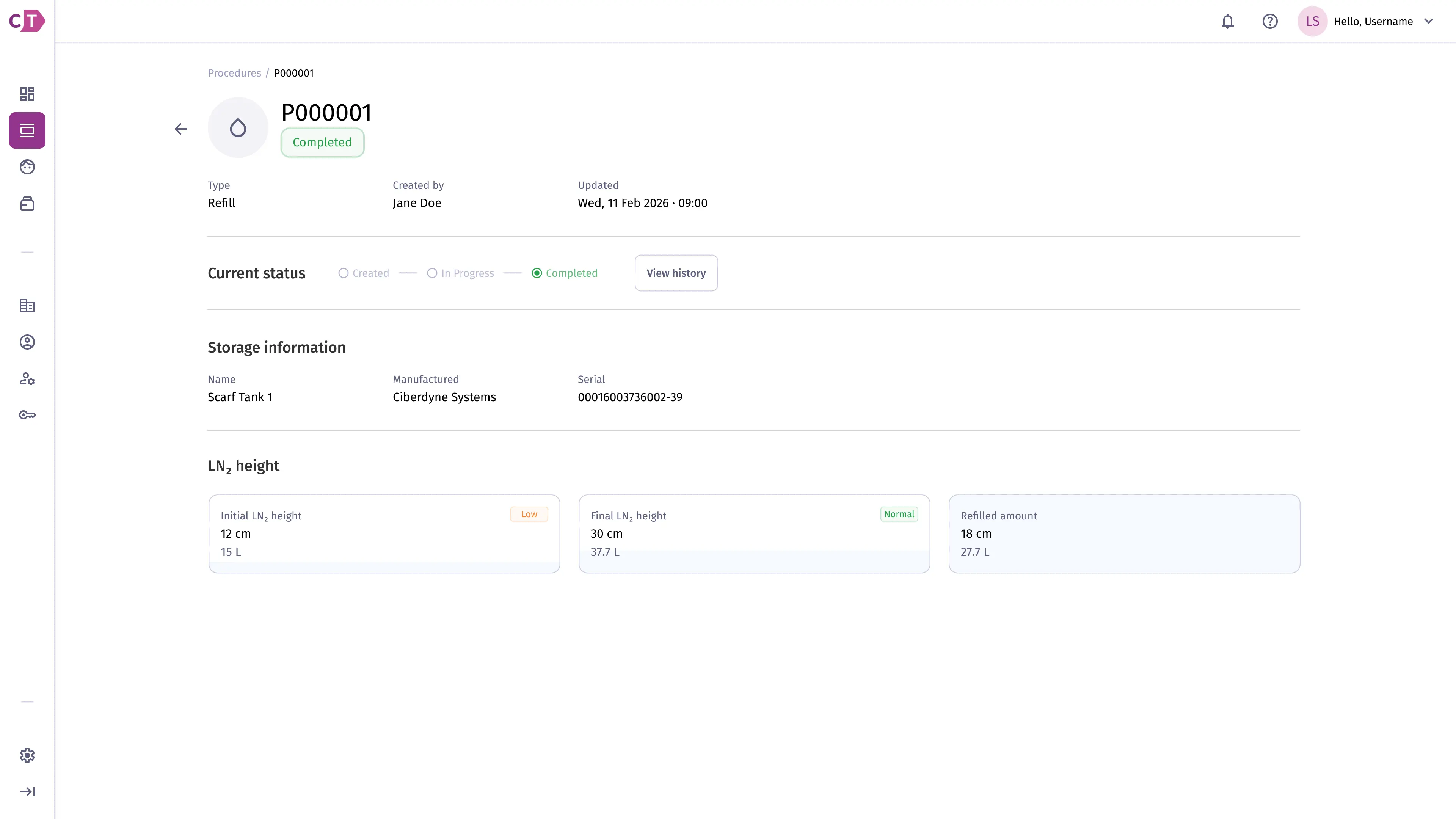
Section titled “LN2 refill procedure”LN2 refill procedures are maintenance tasks initiated by a facility user through the device interface to replenish liquid nitrogen levels in storage solutions. They cannot be created from the web app, but their details and result can be monitored from the procedures list.
The detail page shows the storage solution, the initial and final LN2 height readings, and the total refilled amount.
Viewing procedure history
Section titled “Viewing procedure history”Click View history on any procedure to open a timeline of all status transitions, including who triggered each change and when.