Notifications
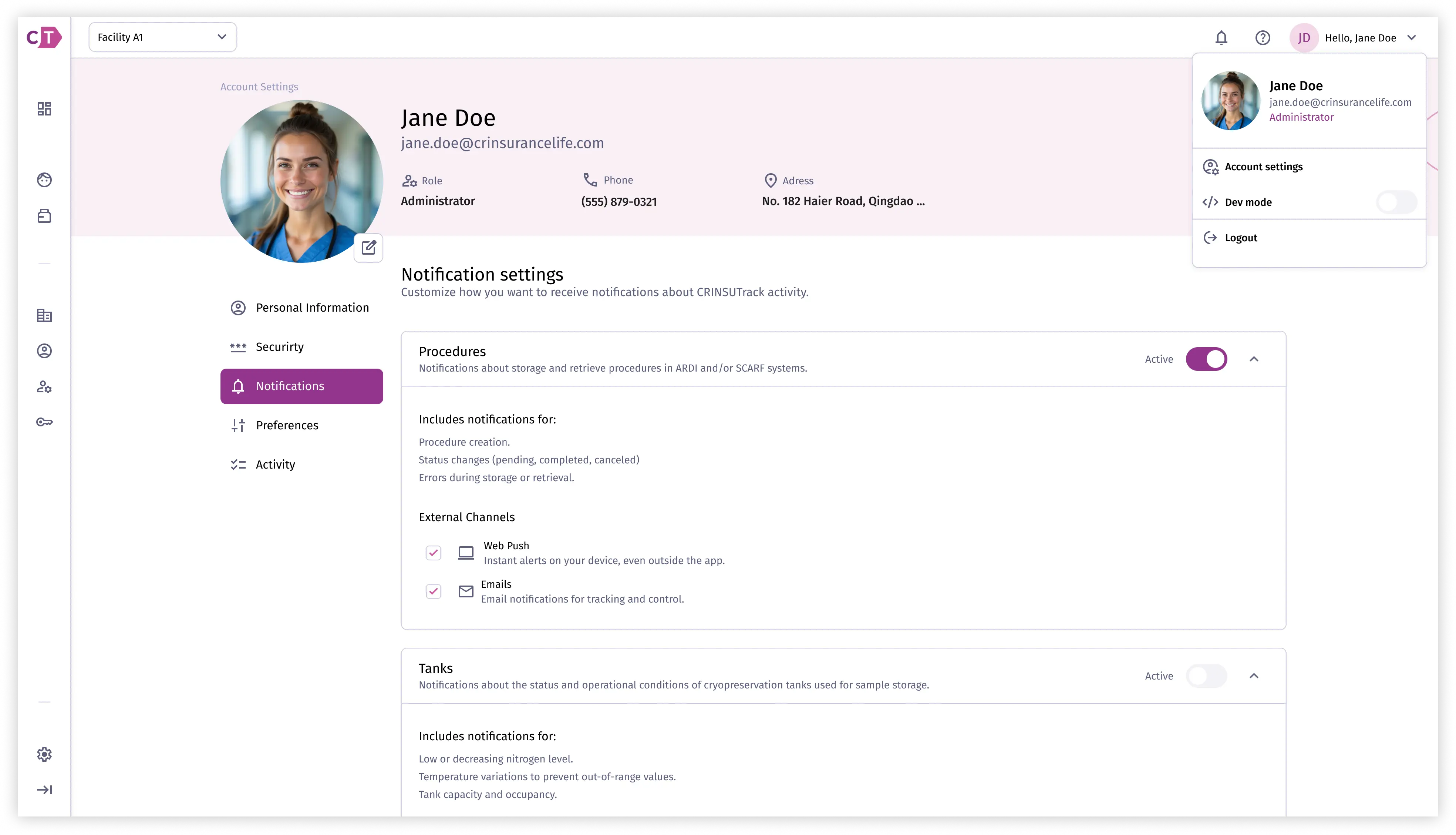
Users can configure which notifications they receive through their profile settings. This allows each user to tailor alerts to their role and responsibilities within the platform.
Using the notification center
Section titled “Using the notification center”The notification center is a panel accessible from the top navigation bar. It displays your list of notifications organised into three tabs: All, Unread, and Archived.
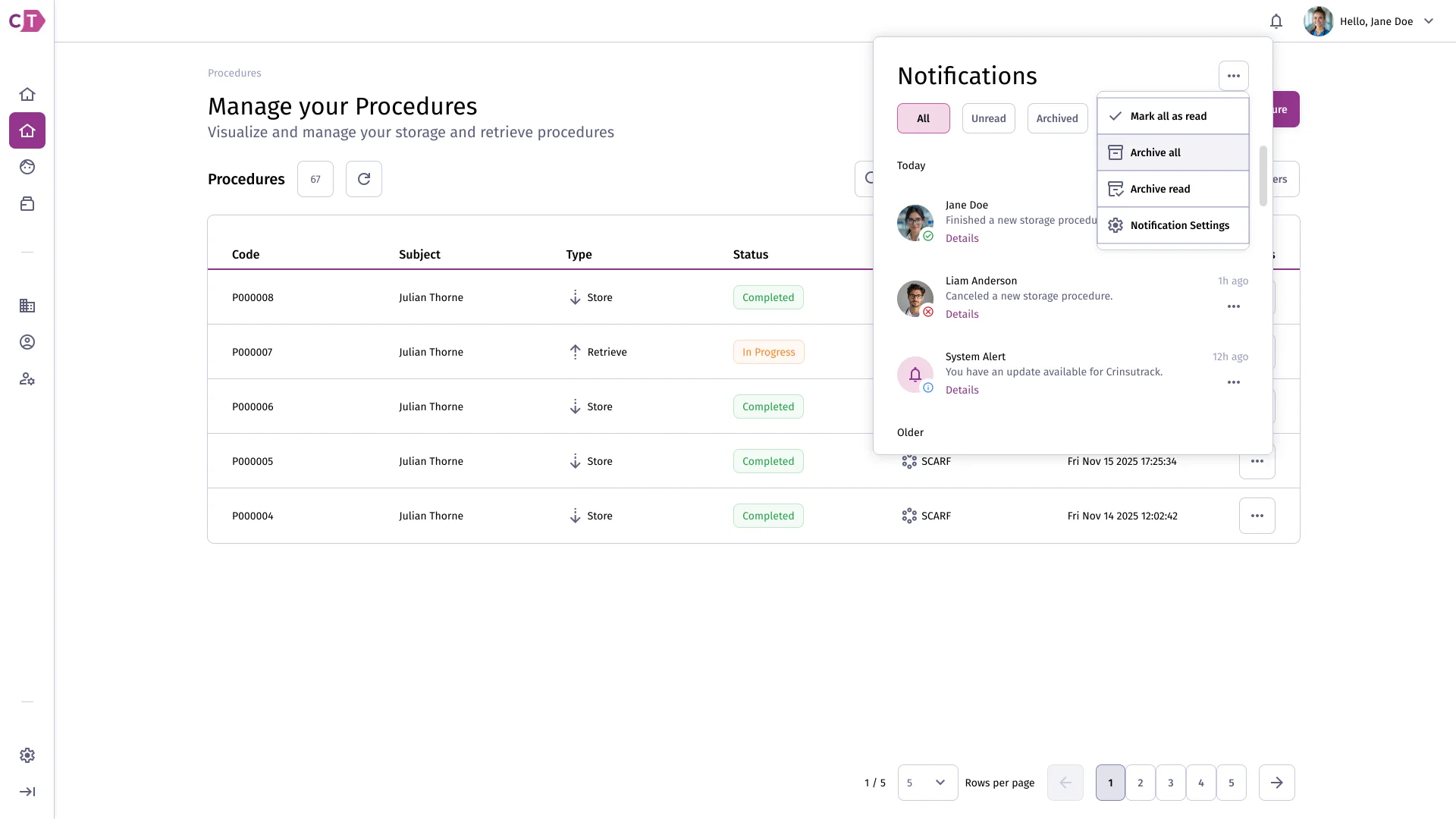
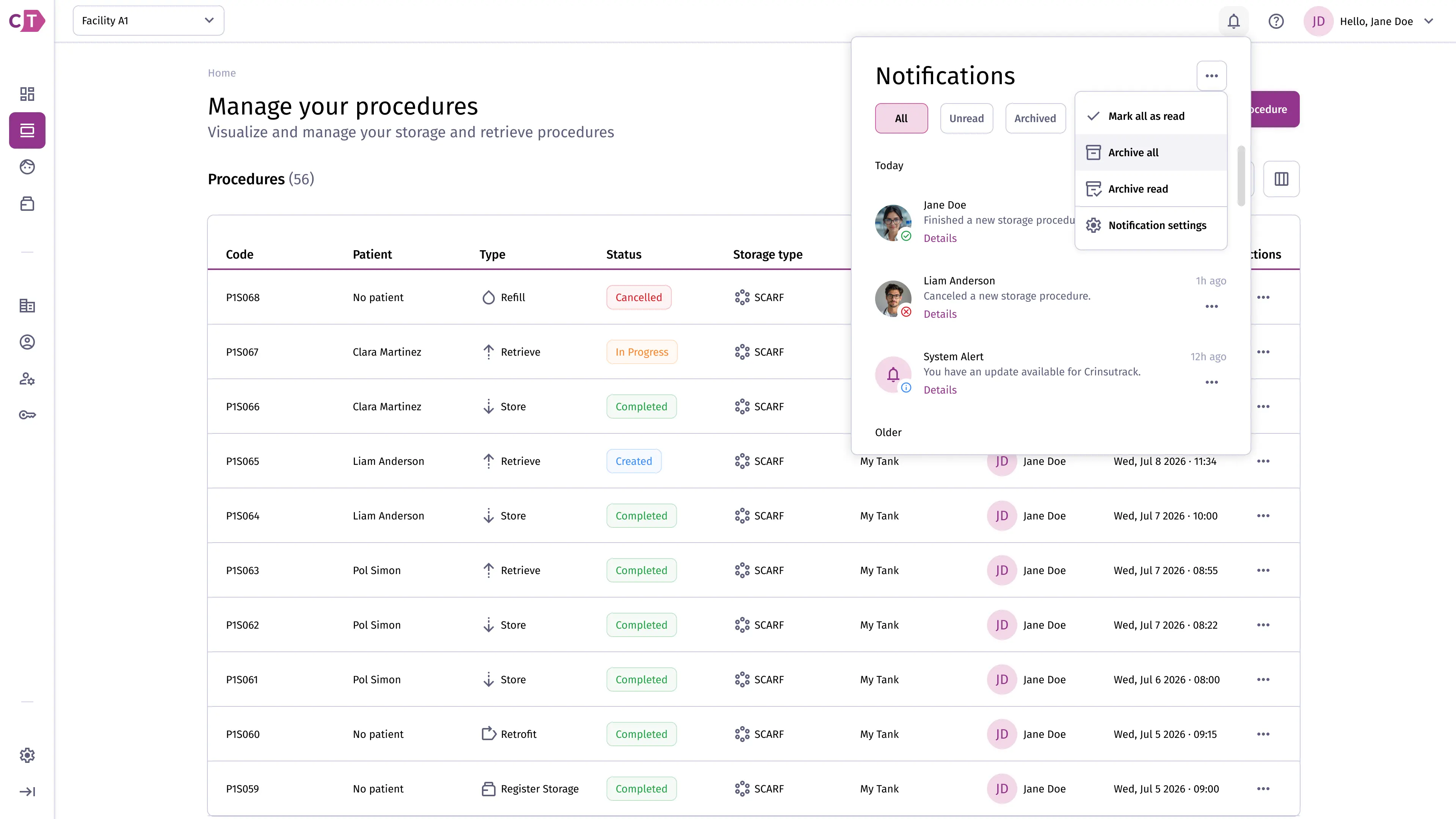
From the notification center you can manage notifications in bulk using the actions menu at the top of the panel. Available actions include marking all as read, archiving all, or archiving only read notifications. You can also navigate to notification settings directly from this menu.
Configuring notification settings
Section titled “Configuring notification settings”To access notification preferences, navigate to Account Settings > Notifications. From there you can enable or disable notifications for specific event types, such as procedure updates and storage alerts. You can also configure which channels receive notifications, including web push and email.