API Tokens
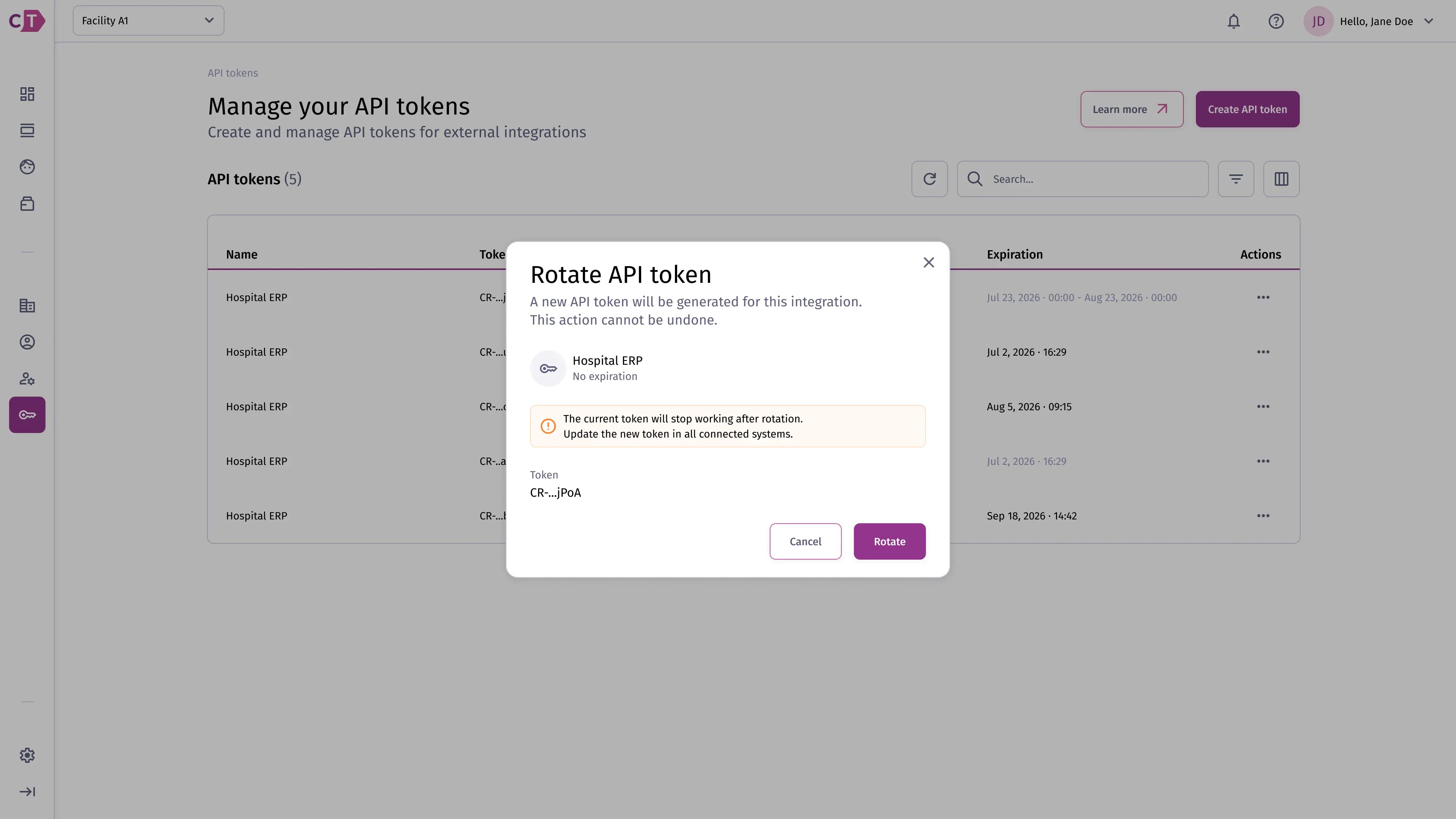
The API Tokens section allows administrators and integration developers to generate and manage tokens used by external systems to authenticate with the Crinsutrack API.
Listing API tokens
Section titled “Listing API tokens”The API tokens list shows all active tokens for your organization. Each entry displays the token name, who created it, and when it was last used.
Creating a token
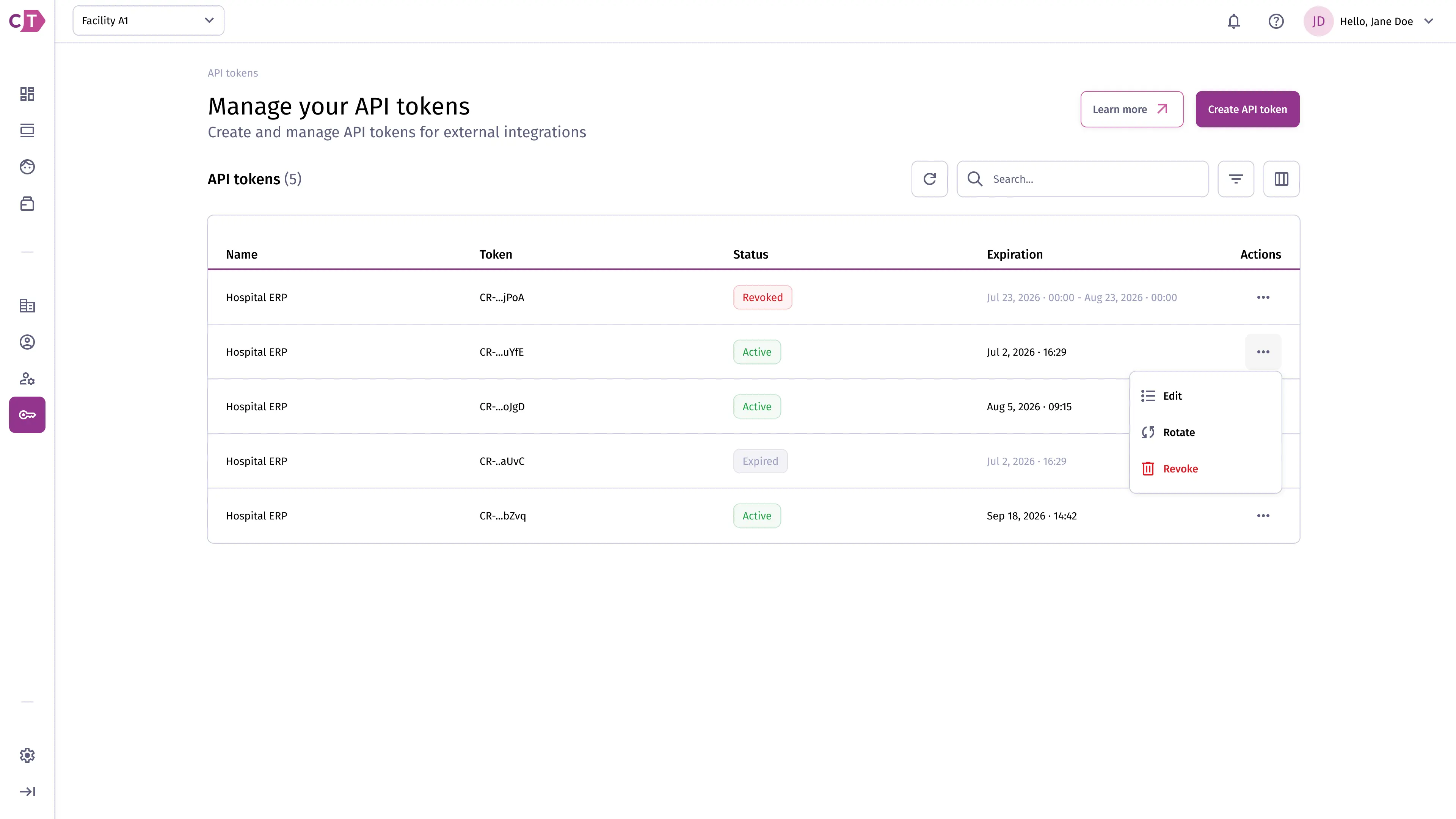
Section titled “Creating a token”To create a new token, click New token and enter a name that identifies the integration or system that will use it.
Copying the token
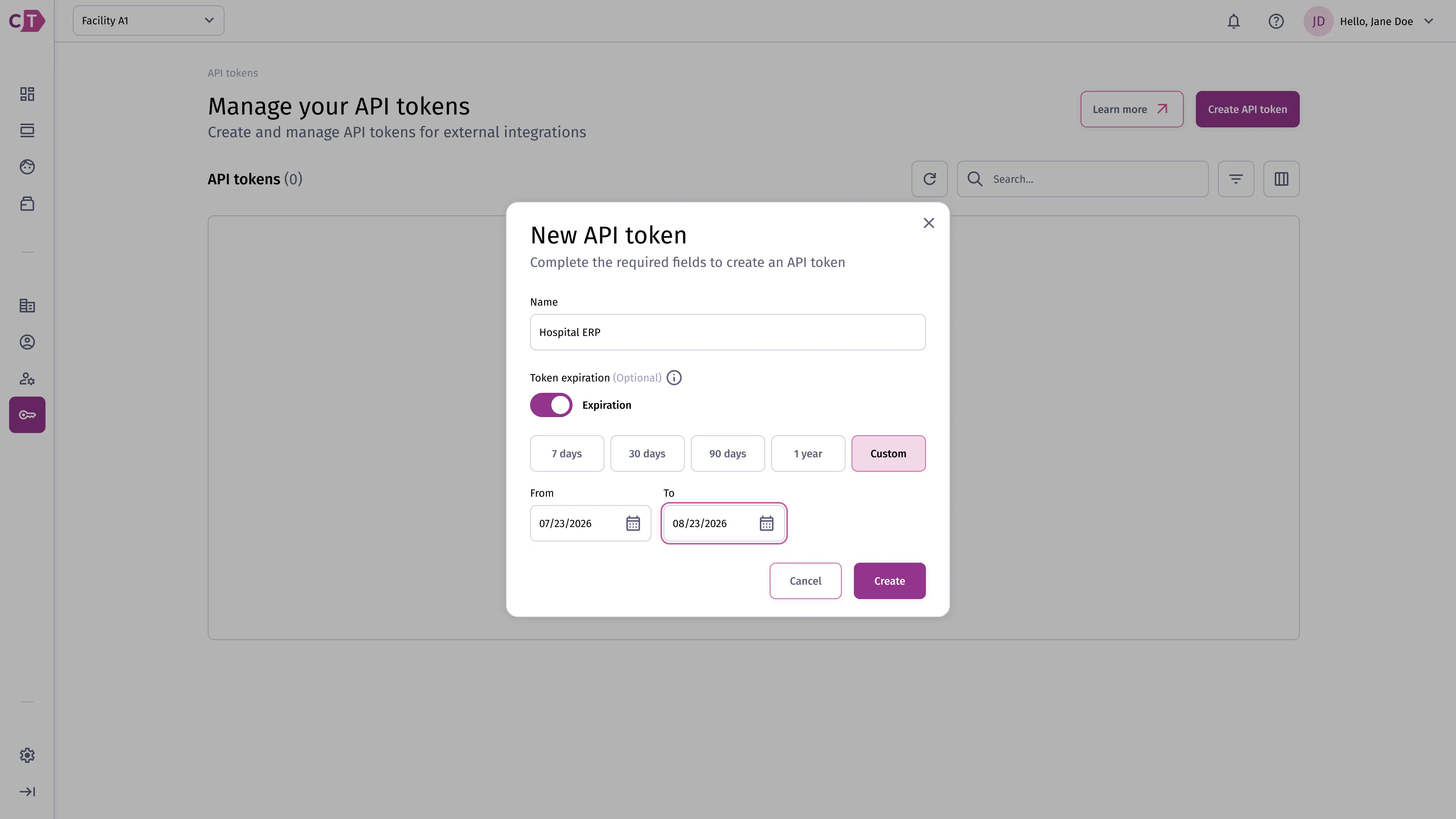
Section titled “Copying the token”After confirming, the token value is displayed once. Copy it immediately and store it securely - it cannot be retrieved again. If lost, you must revoke the token and create a new one.
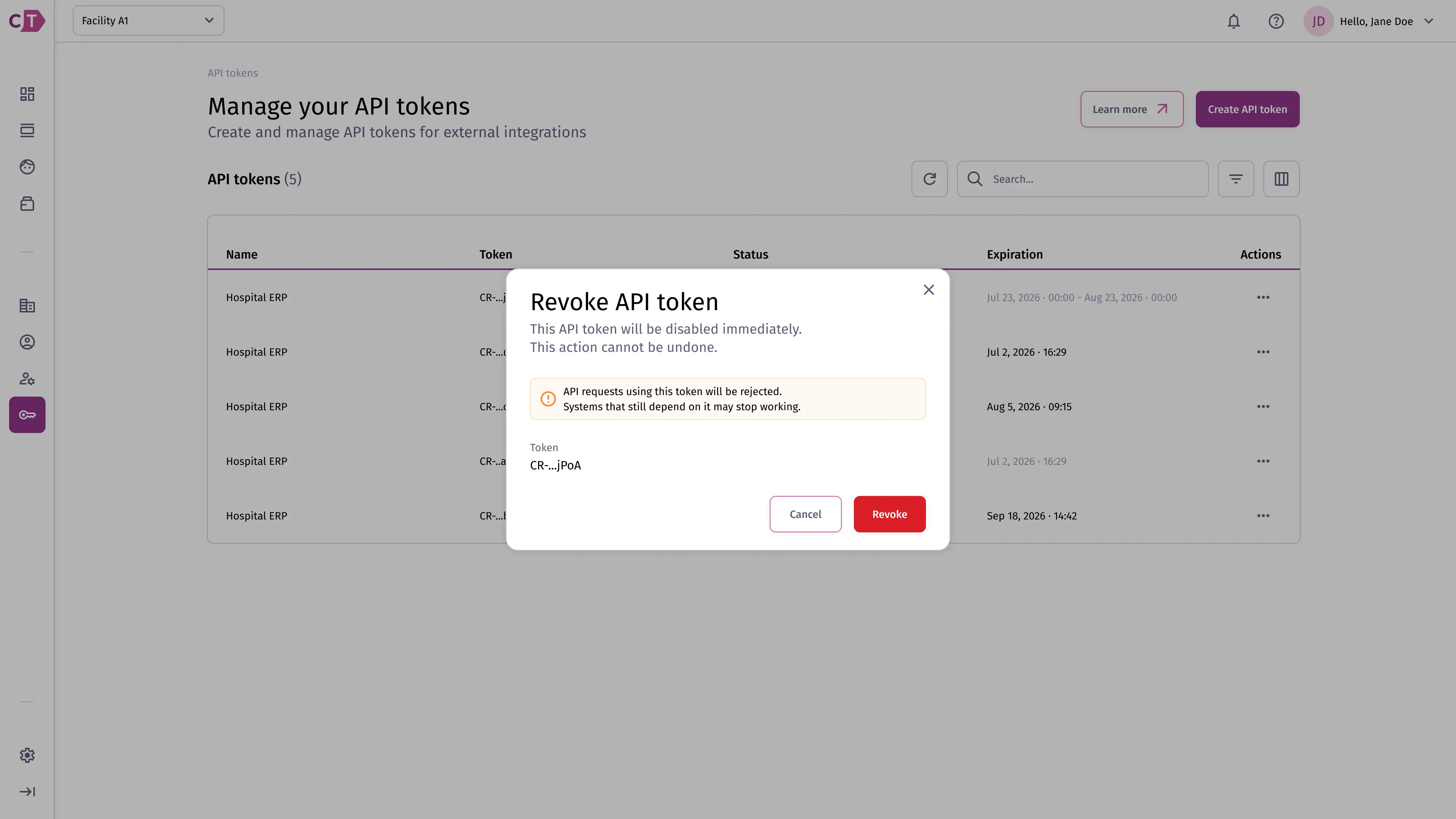
Revoking a token
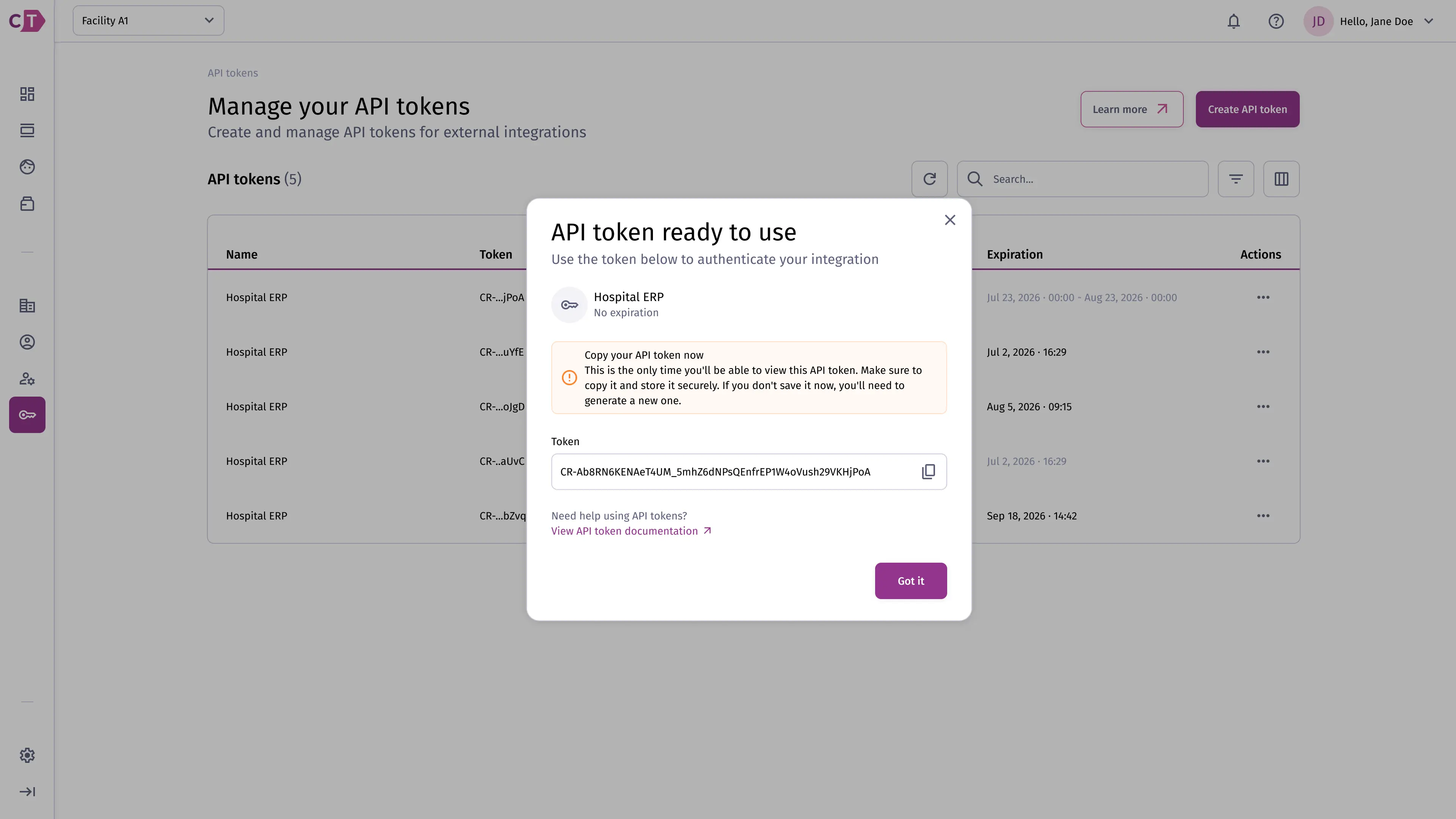
Section titled “Revoking a token”To revoke a token, select Revoke from the token’s actions menu. This immediately invalidates the token and any integration using it will lose access.
Rotating a token
Section titled “Rotating a token”To rotate a token, select Rotate from the token’s actions menu. A new token value will be generated and displayed once - copy it immediately. The old token is invalidated as soon as the new one is issued.